Content calendar template
DrafttOfficial template · Free
What gets published, when and on which channel, with your pillars, a checklist before posting and a bank of ideas by format. For creators, brands and social media teams.
About this template
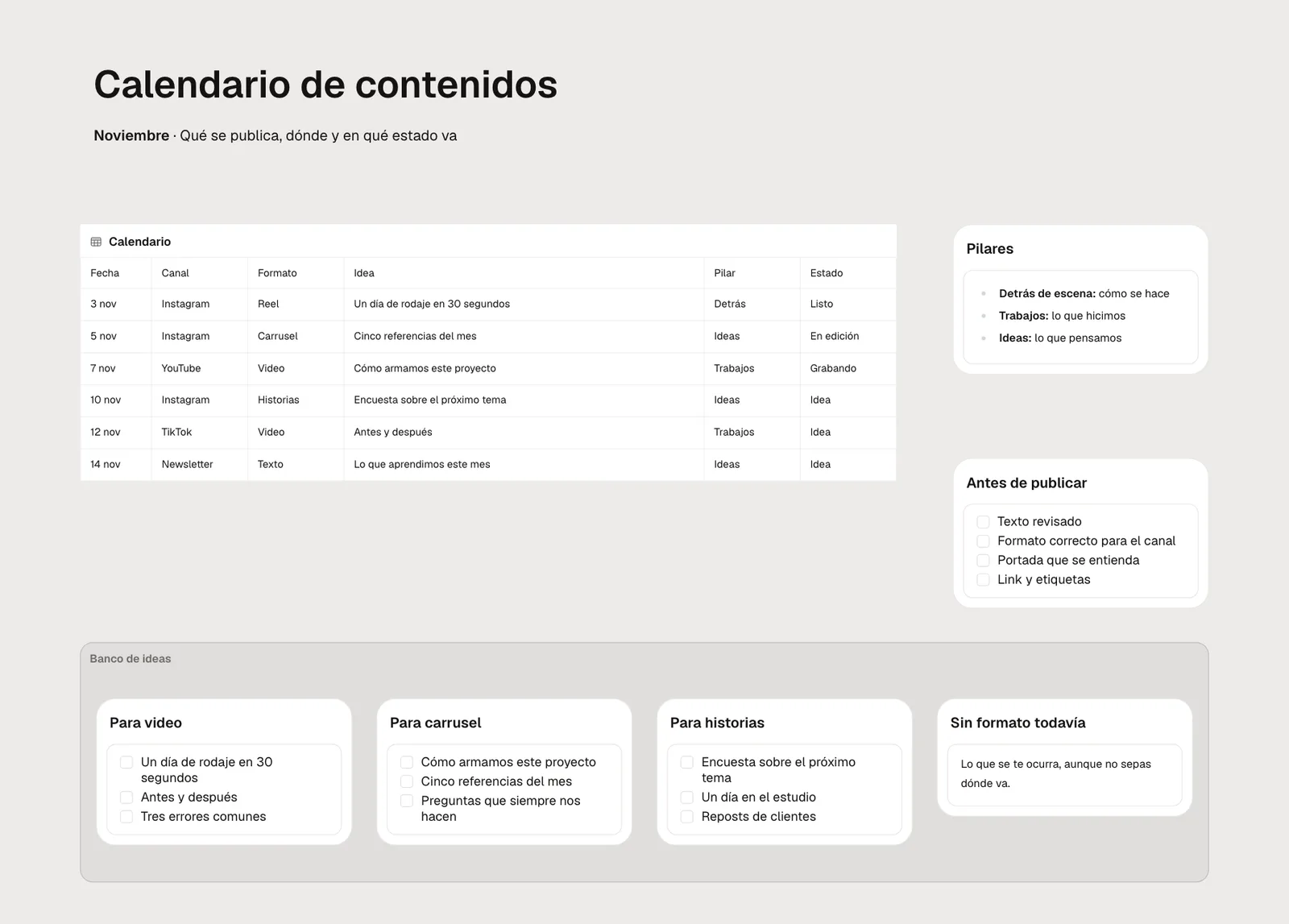
A content calendar decides what gets published, when and where, and shows the status of each piece. This template builds it as a six-column table: date, channel, format, idea, pillar and status. It comes with six sample posts for November, across Instagram, YouTube, TikTok and a newsletter, in statuses that go from idea to ready.
Next to it, the Pillars card defines what the account talks about (behind the scenes, work and ideas), and Before you post runs through four things: copy reviewed, right format for the channel, a cover that reads clearly, link and tags. Below, the Idea bank section holds what doesn't have a date yet, sorted by format: video, carousels and stories, plus a card for what has no format yet.
It's for creators, studios, production companies and brand teams who show their own work: a shoot day in thirty seconds, a before and after, a project told in a carousel.
How to make a content calendar
01
Define three pillars
What the account talks about, in three topics. They help you say no: an idea that doesn't fit any of them doesn't get published, however good it is. They also balance the month, so you don't post the same thing four times in a row.
02
Collect ideas without dates
The idea bank fills up any day. The calendar gets built once. Keep your references there too: paste the link to an Instagram post or a pin on the board and the image stays, with its source.
03
Set a pace you can keep up
Two good posts a week for three months are worth more than a daily one that stops on day ten. Move to the table only what you can produce, and note the format from the start: you can't crop a vertical out of a horizontal.
04
Move each piece through its statuses
Idea, shooting, editing and ready. Review the table once a week and work two weeks ahead. Whoever approves comments on the piece right on the board, not over chat.
More planning templates
Monthly plan
Draftt
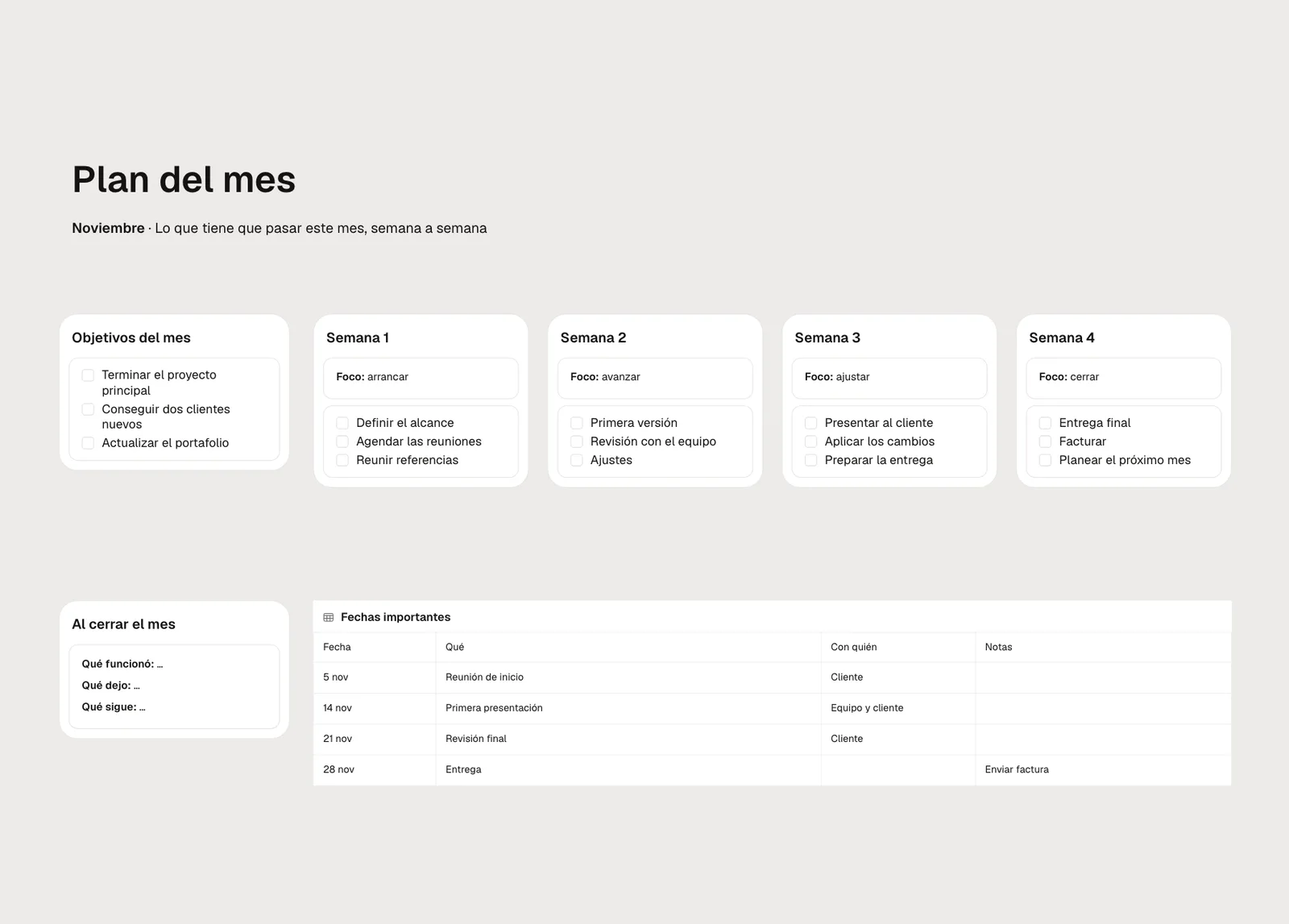
The month's goals broken down into four weeks, with the dates that matter and what you learned when it closed.
Weekly plan
Draftt
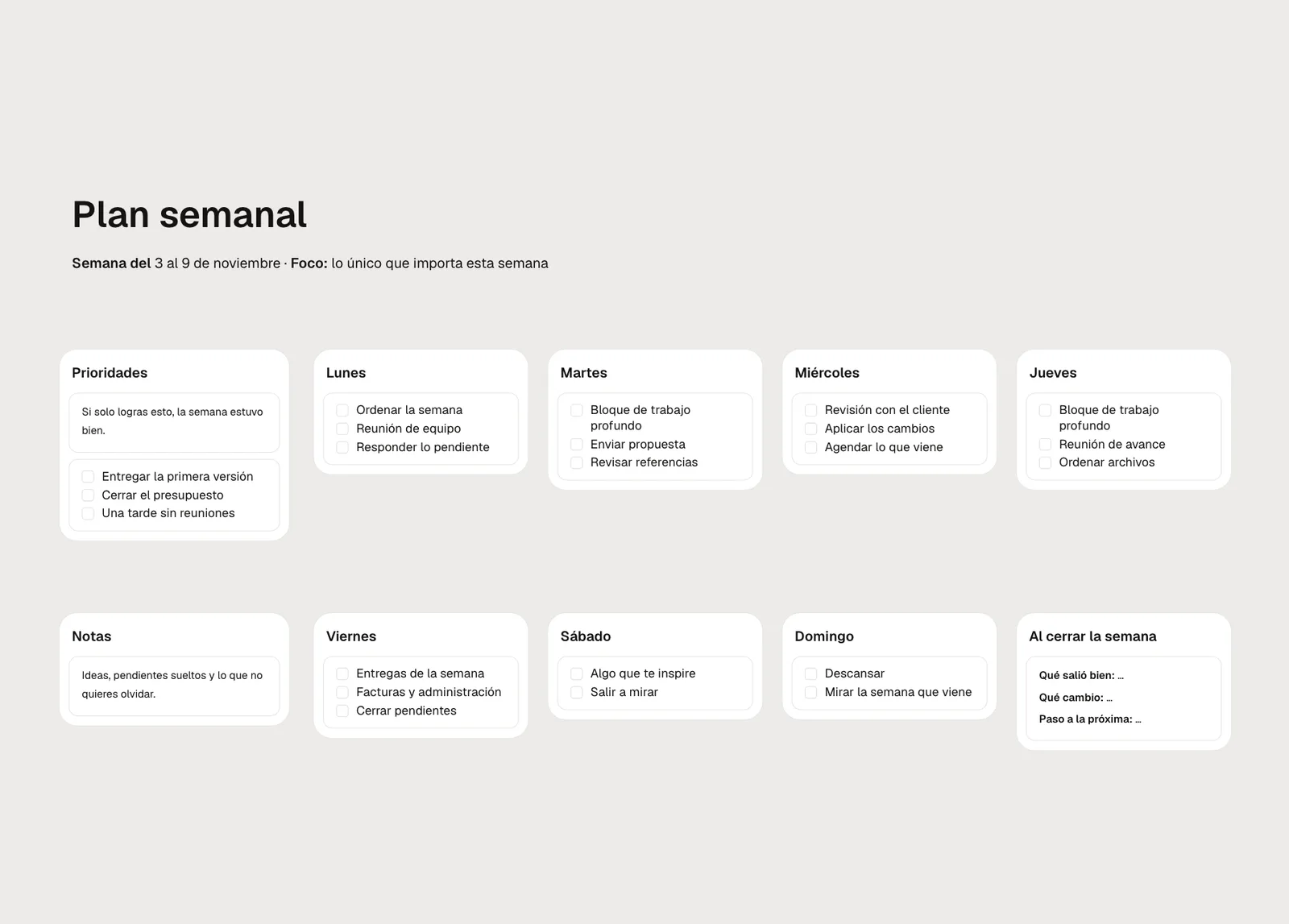
Your week on one board: the priorities in sight, each day with its to-dos and a moment to close it and move on to the next.
Brainstorm
Draftt
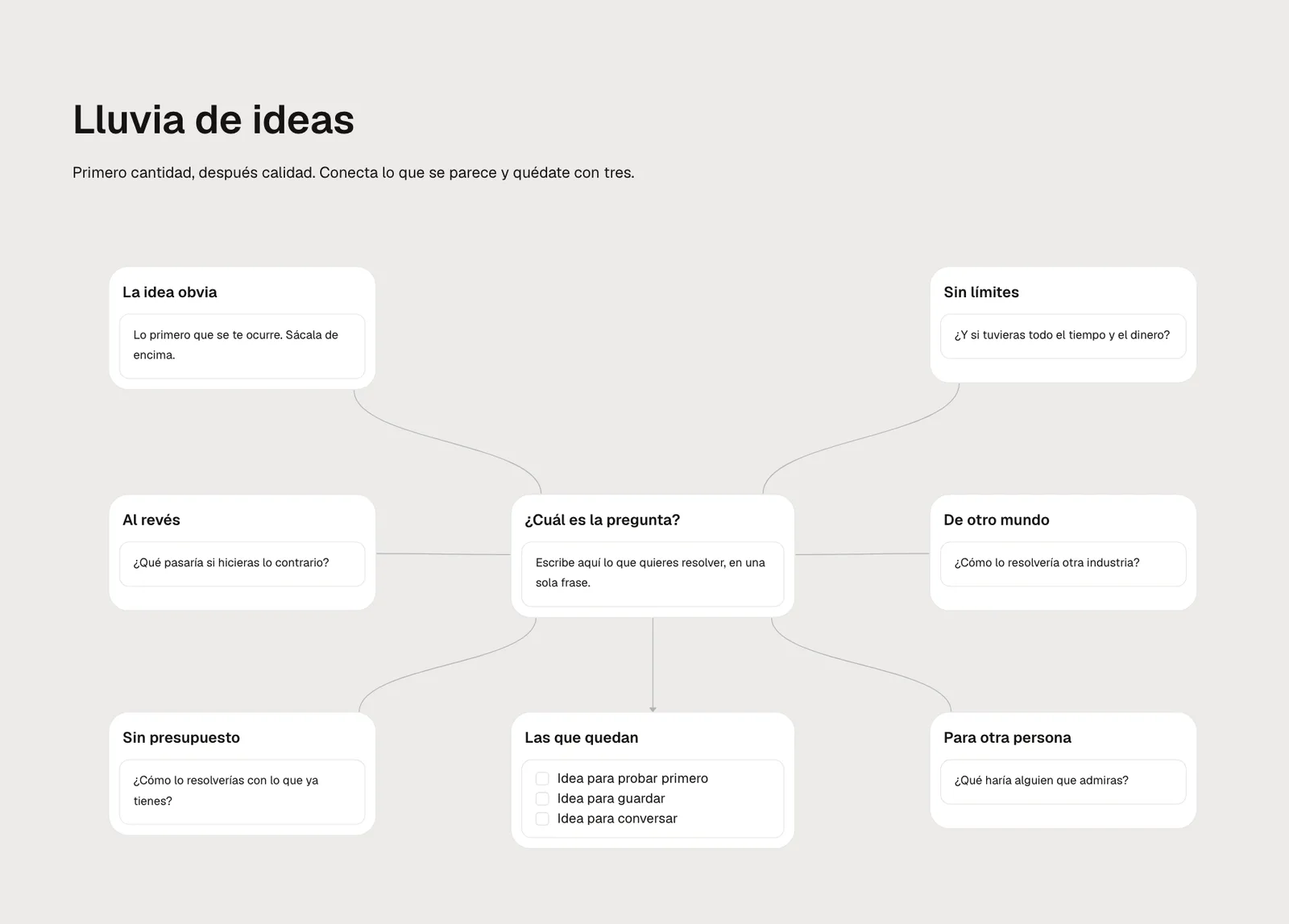
A question in the middle and six ways to look at it, to get past the first idea and end with three worth trying.
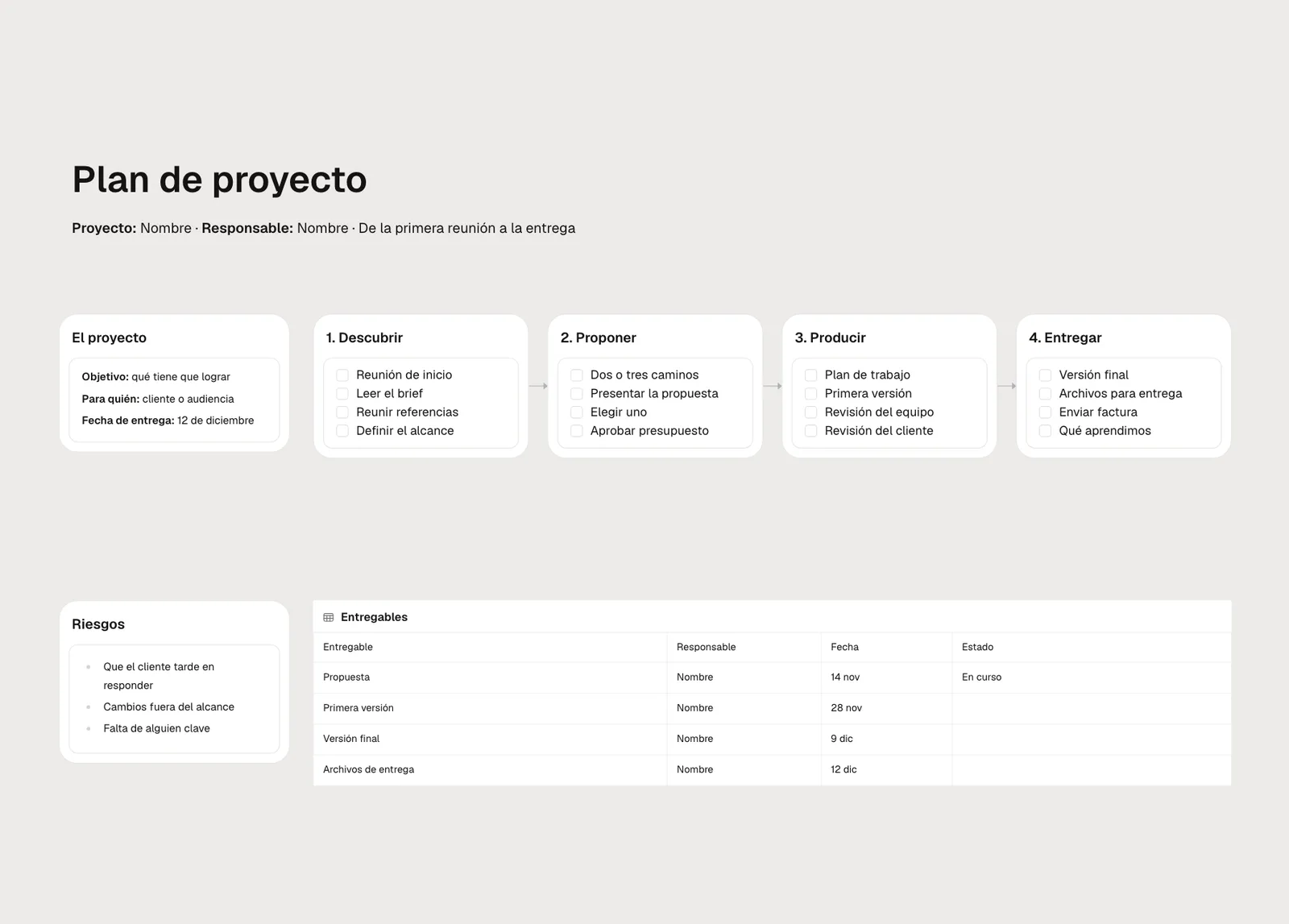
Project plan
Draftt
A project from the first meeting to delivery: four connected phases, the deliverables with an owner and a date, and the risks in sight.
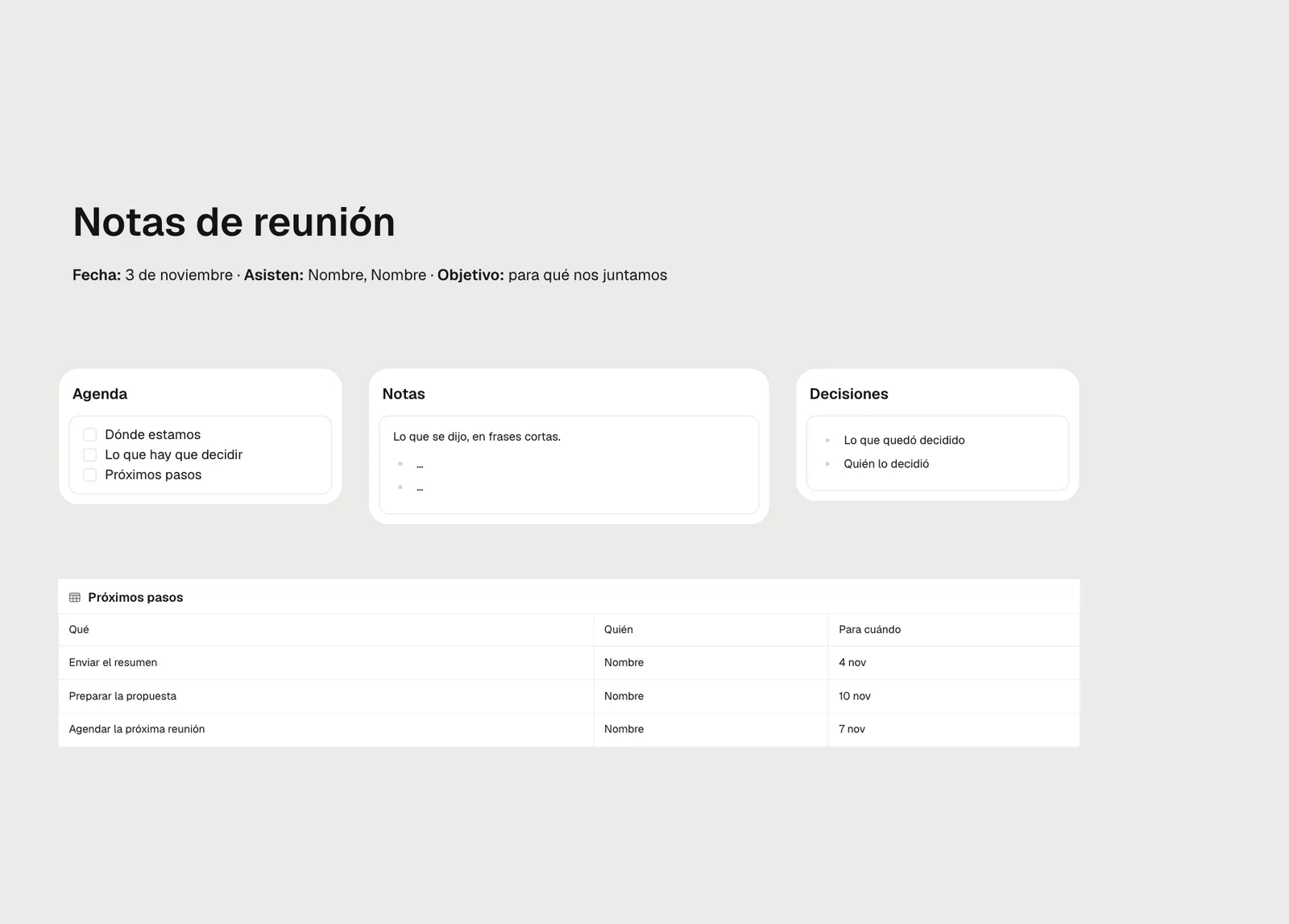
Meeting notes
Draftt
The agenda, what was said, what was decided and who does what by when.
Frequently asked questions
- What is a content calendar?
- It's the list, sorted by date, of what you're going to publish: on which channel, in which format, what it's about and its status. It helps you publish consistently without improvising every day, and it lets the whole team know what's coming. This template keeps it in a table, with an idea bank for what doesn't have a date yet.
- What are content pillars?
- They're the three or four topics an account always talks about. They help you decide what to post and keep the feed from depending on the day's inspiration. The template comes with three made for a creative studio (behind the scenes, work and ideas), and the table's Pillar column shows whether the month is balanced.
- What statuses should a content calendar have?
- The template's follow the path of a piece: idea, shooting, editing and ready. You can add one for what's waiting on approval from the client or the brand. What matters is that every row says where it stands, so nobody has to ask over chat whether something goes out this week.
- What's the difference between a content calendar and a monthly plan?
- The monthly plan organizes the goals and deliveries of any kind of work into four weeks. The content calendar is only about posts: each row is a piece with its channel, format, pillar and status. If you run an account on top of your projects, it's worth keeping the two boards separate.
- Is the content calendar template free?
- Yes. Draftt's free plan includes 2 boards, and using the template takes one. A single board is enough for several months: add rows to the table or duplicate it for the next month, and the idea bank keeps collecting what doesn't have a date yet.
Related templates
See more mood board examples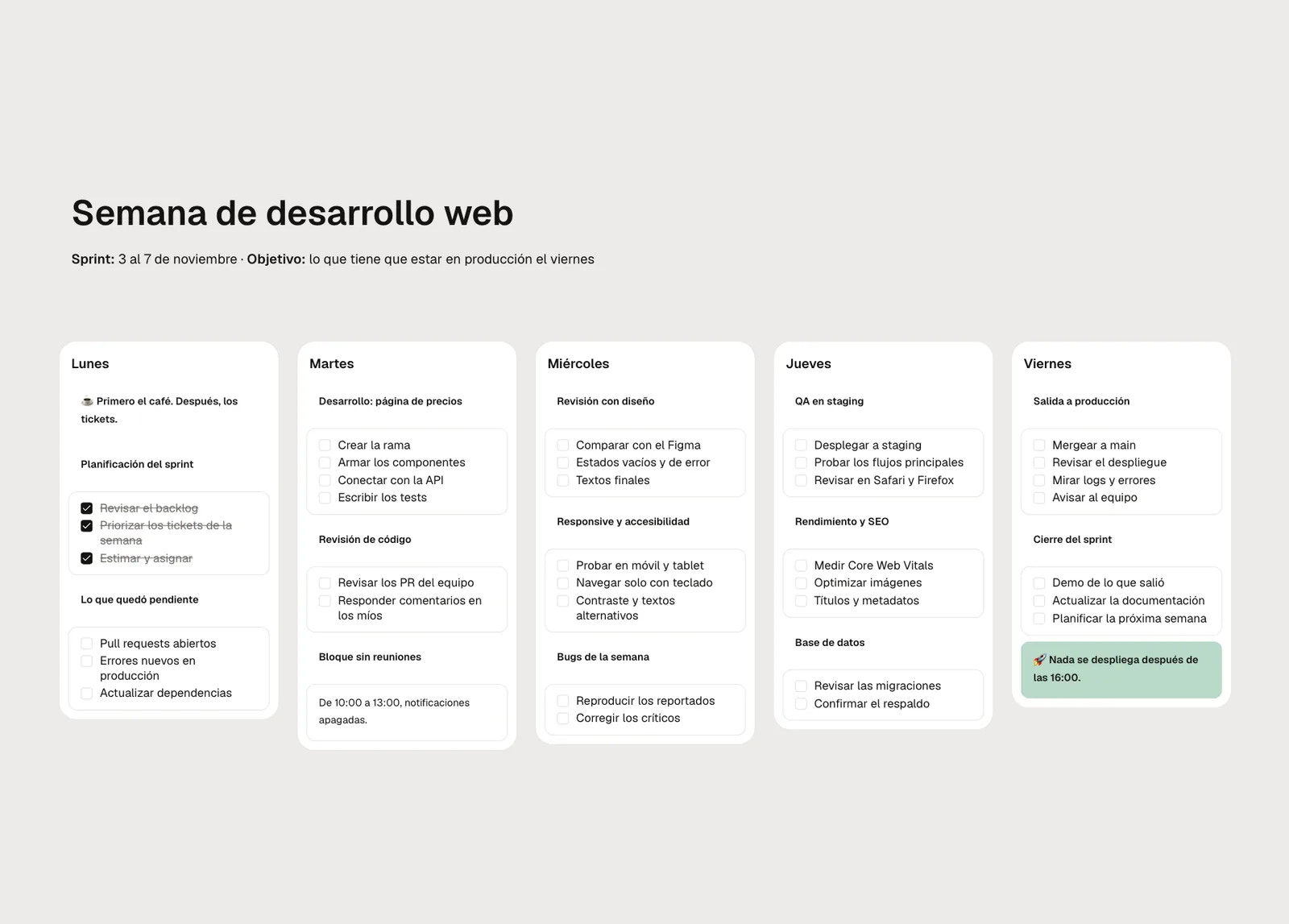
Web development week
Draftt
A week of development, Monday to Friday: plan the sprint, build, review with design, test on staging and ship to production.
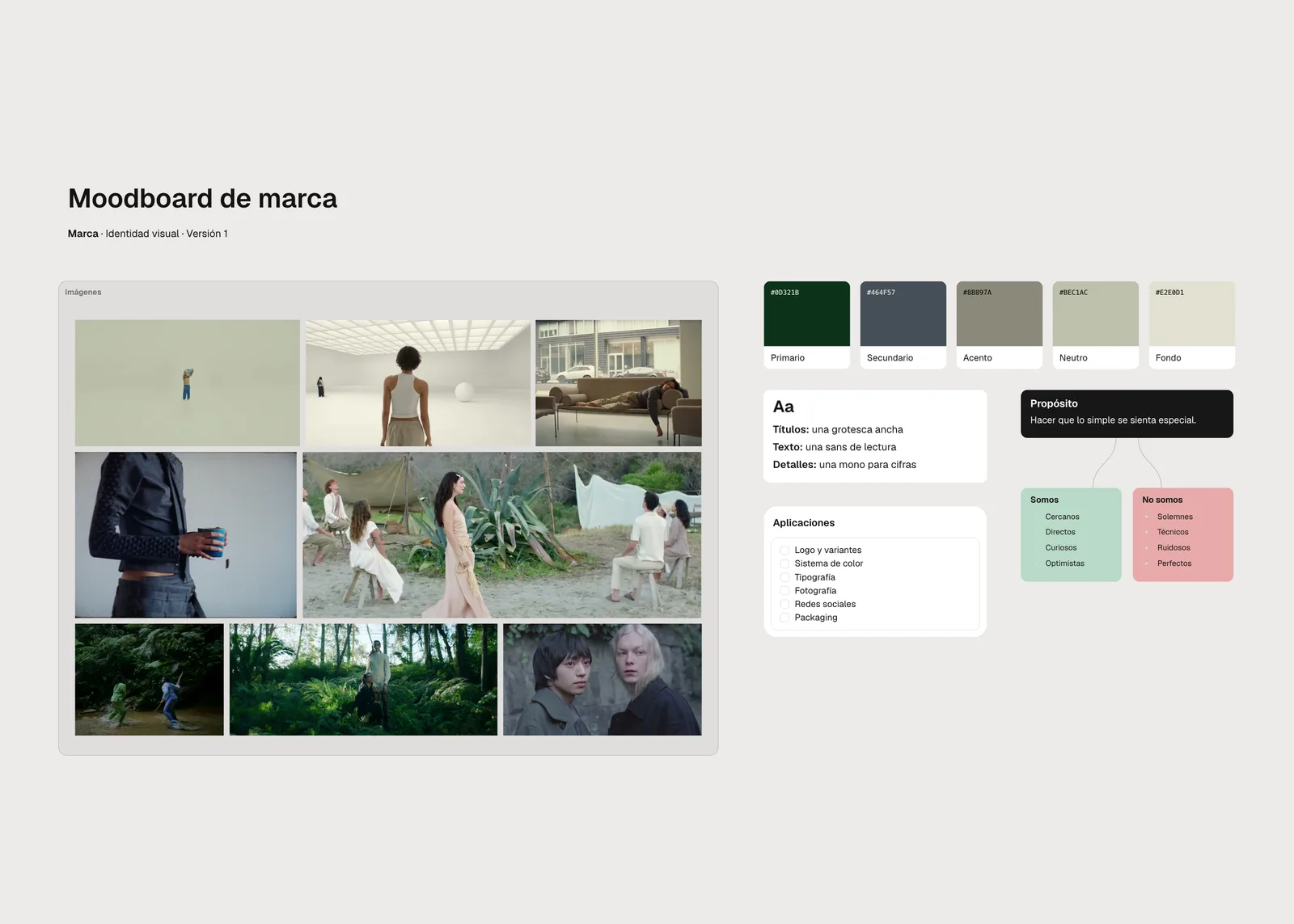
Brand moodboard
Draftt
A brand's visual base on one board: images that stand for it, the palette with names and hex codes, the typography, the tone of voice (what it is and what it is not), its purpose and where it will be applied.
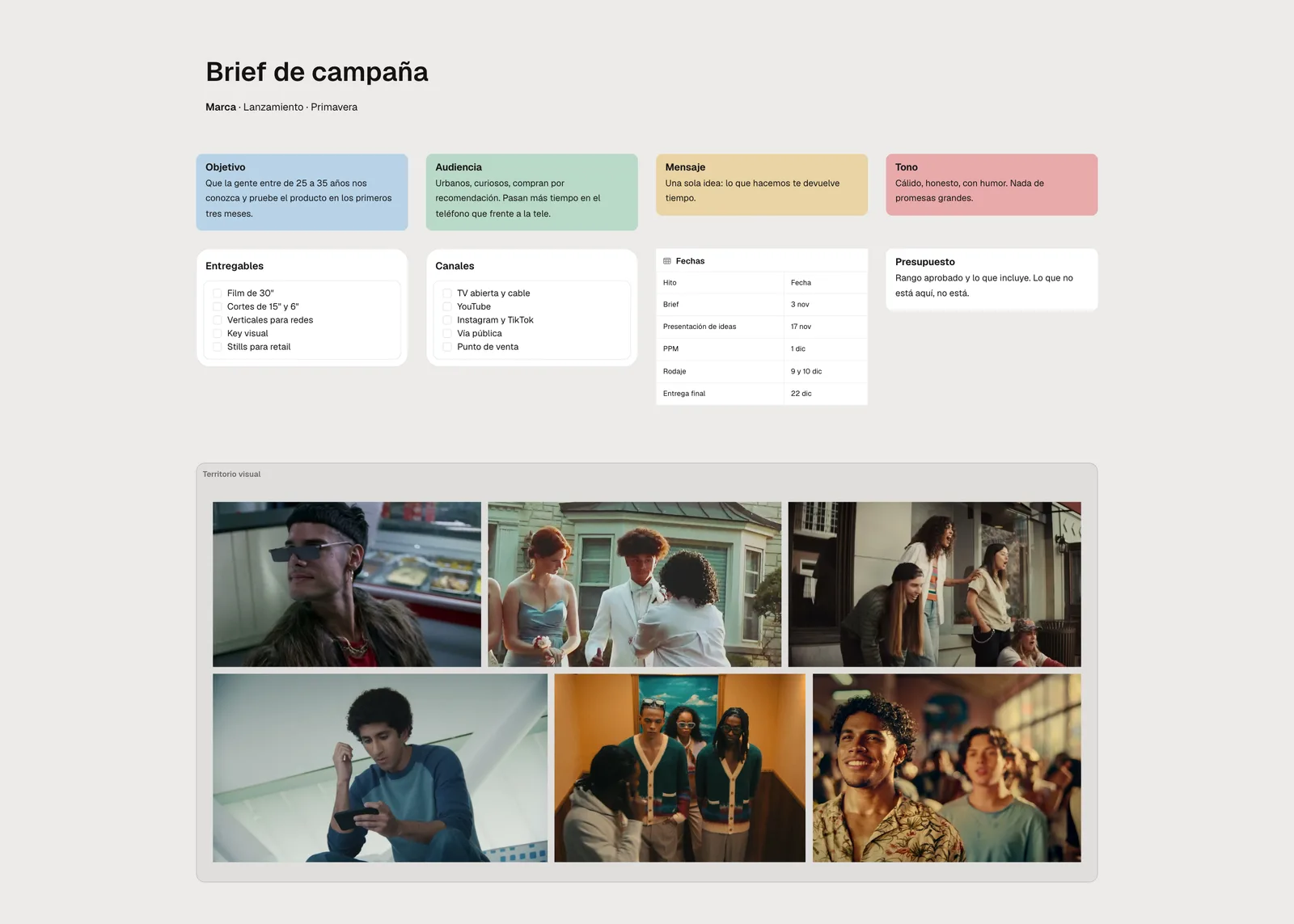
Campaign brief
Draftt
A creative brief that reads at a glance: the objective, the audience, the message, the deliverables, the channels and the dates, with a visual territory for reference.