Location scouting template
DrafttOfficial template · Free
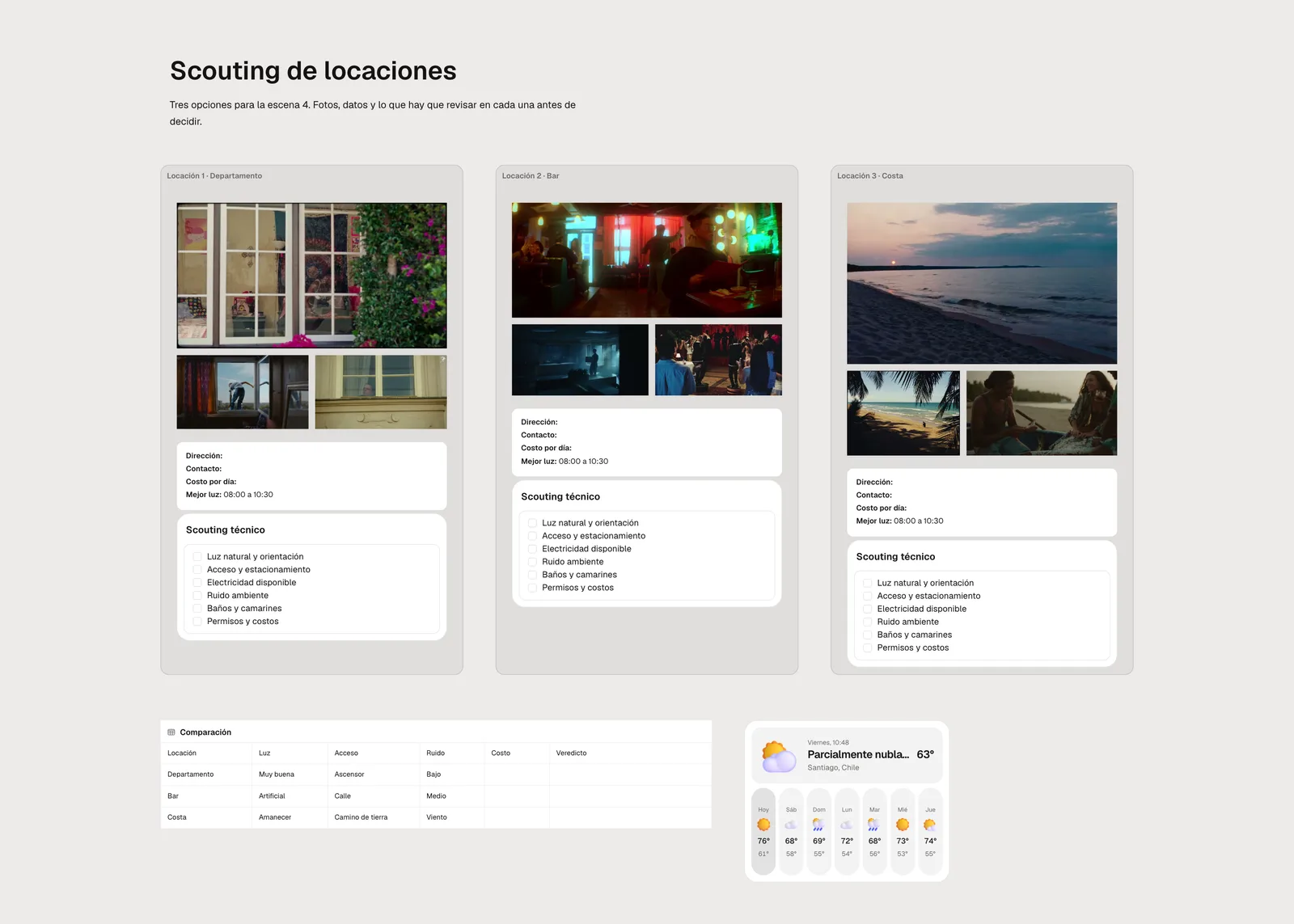
Compare locations side by side: photos of each one, its details (address, contact, cost, best hour of light), a tech scout checklist, the weather forecast and a table to decide. For scouting a shoot, a photo session or an event.
About this template
This template is for choosing one location out of several by comparing them side by side. Producers, assistant directors, location managers and cinematographers use it to scout a shoot, a photo session or an event.
The example comes with three options for scene 4: an apartment, a bar and the coast. Each has its own section with three photos, a details card (address, contact, cost per day and best light) and a tech scout checklist that checks the same things at all three: natural light and orientation, access and parking, available power, ambient noise, bathrooms and dressing rooms, and permits and costs.
Below is the Comparison table, with a row per location and columns for light, access, noise, cost and verdict, where the decision gets written down. Next to it, a block with the weather forecast for the coming days, which helps when one of the options is an exterior.
How to scout locations for a shoot
01
Visit at the hour you will shoot
A location at 11 a.m. is not the same place at 6 p.m. Go at the hour of the scene and photograph toward where the camera would look and also behind it, which is where the crew goes. Note where the sun comes in; the forecast block gives you sunrise and sunset for that place.
02
Photograph what nobody wants to photograph
Besides the pretty angles: the breaker panel, the outlets, the door the gear comes in through, the parking, the bathrooms and the corner where catering would go. Upload those photos to each place's section. They are the ones production will ask for.
03
Stand in silence for a minute
Sound kills more locations than anything else. Record a minute of ambience on your phone and write down what you hear: an avenue, a refrigerator, a school at recess, planes. If you visited on a Sunday, ask what goes on there on a weekday.
04
Compare on the same criteria and write the verdict
Fill in the same checklist at every place, including the one you loved, and carry the summary over to the table: light, access, noise and cost. Before deciding, share the link so the director and the cinematographer can comment on the photos, and leave in writing why it was chosen.
More templates to prep a shoot
Pre-production plan
Draftt
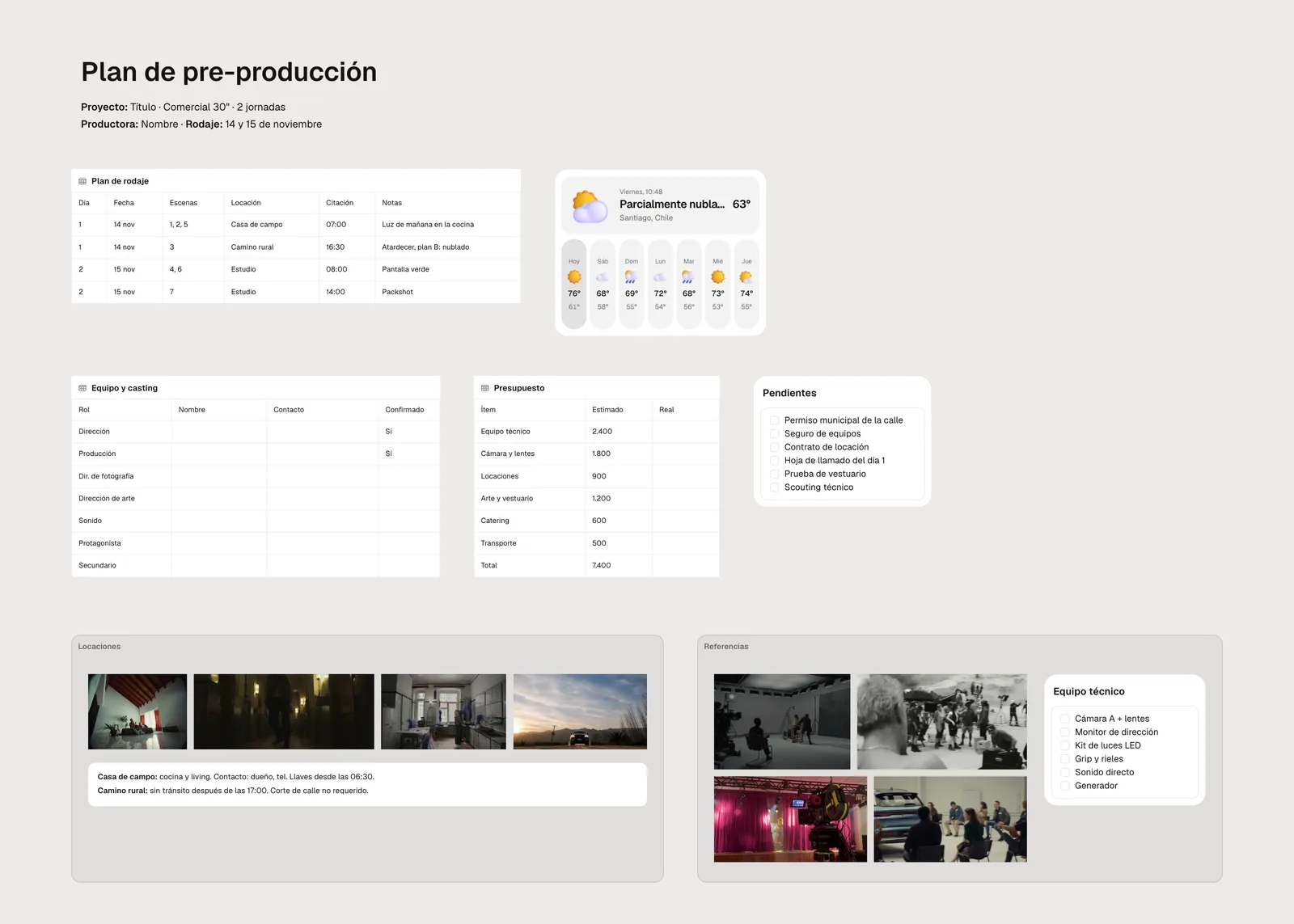
Everything that has to be solved before the first shoot day on one board: the shooting schedule, the crew and the casting, the budget, the locations, the weather forecast, the gear and the to-dos.
Storyboard
Draftt
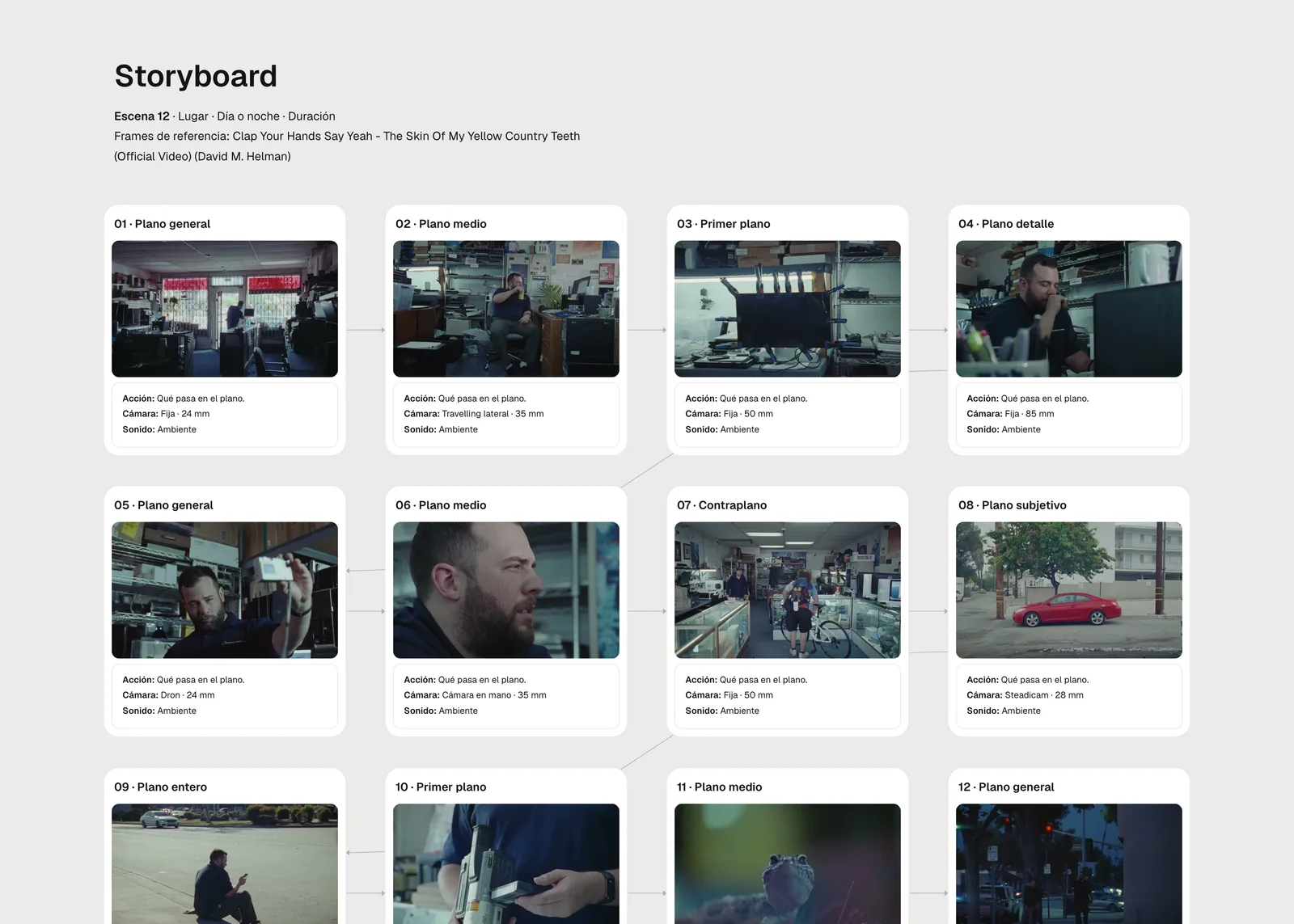
A scene shot by shot: each card holds its frame, the action, the camera and the sound, in the order it will be filmed, joined by arrows.
Commercial shot list
Draftt
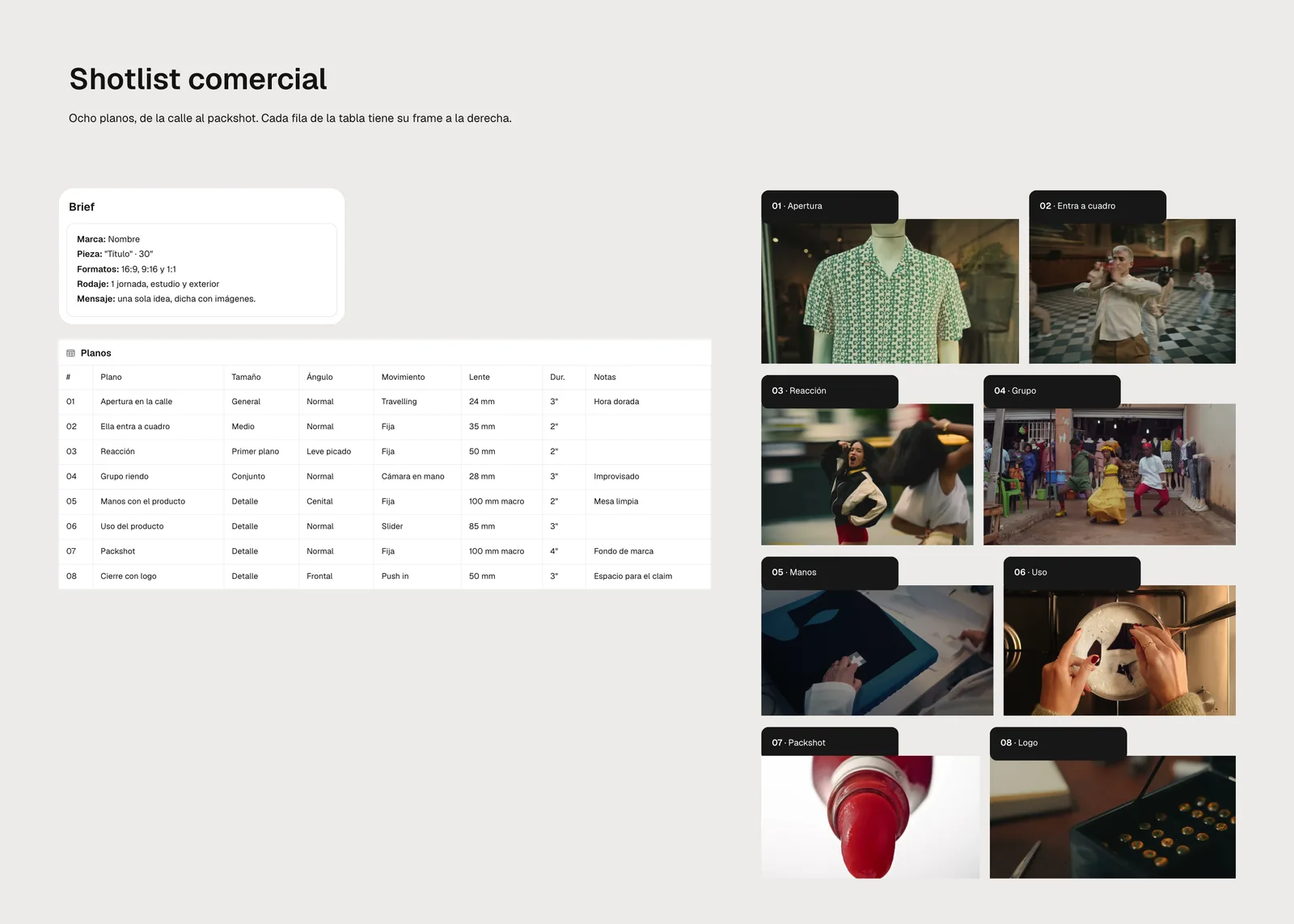
A commercial's shot list with size, angle, movement, lens and duration, next to each shot's reference frame and the piece's brief.
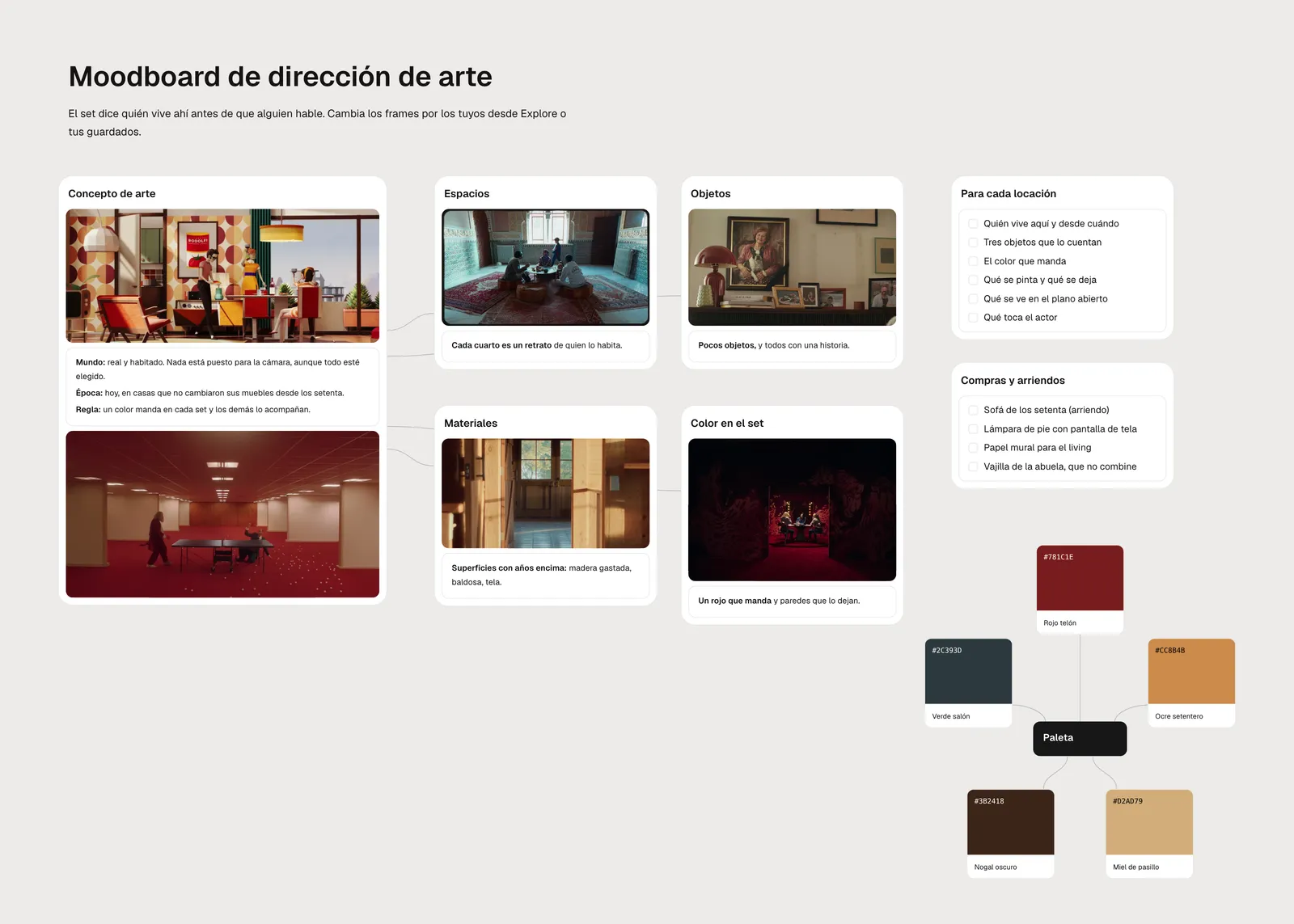
Art direction moodboard
Draftt
An art direction moodboard: the concept of the world and, around it, spaces, objects, materials and color, with what to ask of each location and the shopping list.
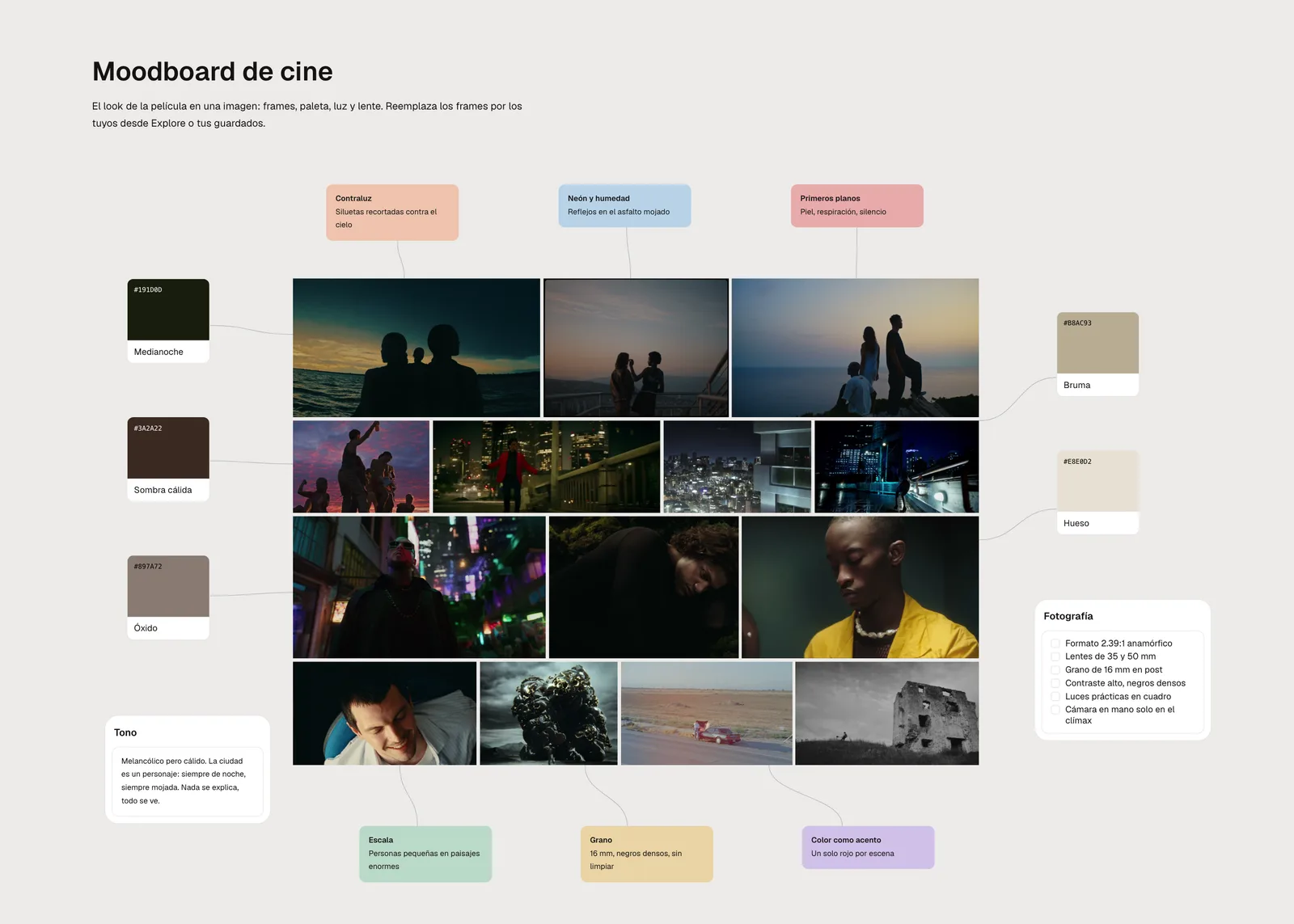
Film moodboard
Draftt
A moodboard to find a film's look before shooting it: a collage of reference frames in the middle, the palette with its names, the light and lens ideas connected to the images that show them, and the cinematography decisions on one card.
Frequently asked questions
- What is location scouting?
- It is the search for and the visit to the places where you will shoot. You look for options that serve the scene, photograph them and check whether the shoot is possible there: the light, the access, the power, the noise, the permits and the cost. It ends in a decision, which this template leaves written in the comparison table.
- What do you check on a tech scout?
- Whatever changes the shoot day: where the natural light comes in and at what hour, how the vehicles get there and where they park, whether there is enough power, the noise from the street or the wind, whether there are bathrooms and room for dressing rooms, and what permits and costs it has. Each location's checklist asks those six things.
- What is the difference between a location scout and a pre-production plan?
- The scout decides one thing: which location is used for a scene. The pre-production plan takes that decision and puts it next to the rest of the shoot: shoot days, call times, crew, casting, budget and to-dos. Normally you close the scout and then take the chosen location to the plan.
- How many locations should you compare?
- Between two and four per scene. With only one there is nothing to measure it against; with more, the comparison gets slow. The template comes with three, each in its own section, and you can duplicate a section or delete it depending on how many options you have.
- Is the location scouting template free?
- Yes. Draftt's free plan includes 2 boards, and using the template takes one. The sample photos are frames from Explore, Draftt's catalog, and the idea is to replace them with the ones you take on your own scout.
Related templates
See more mood board examples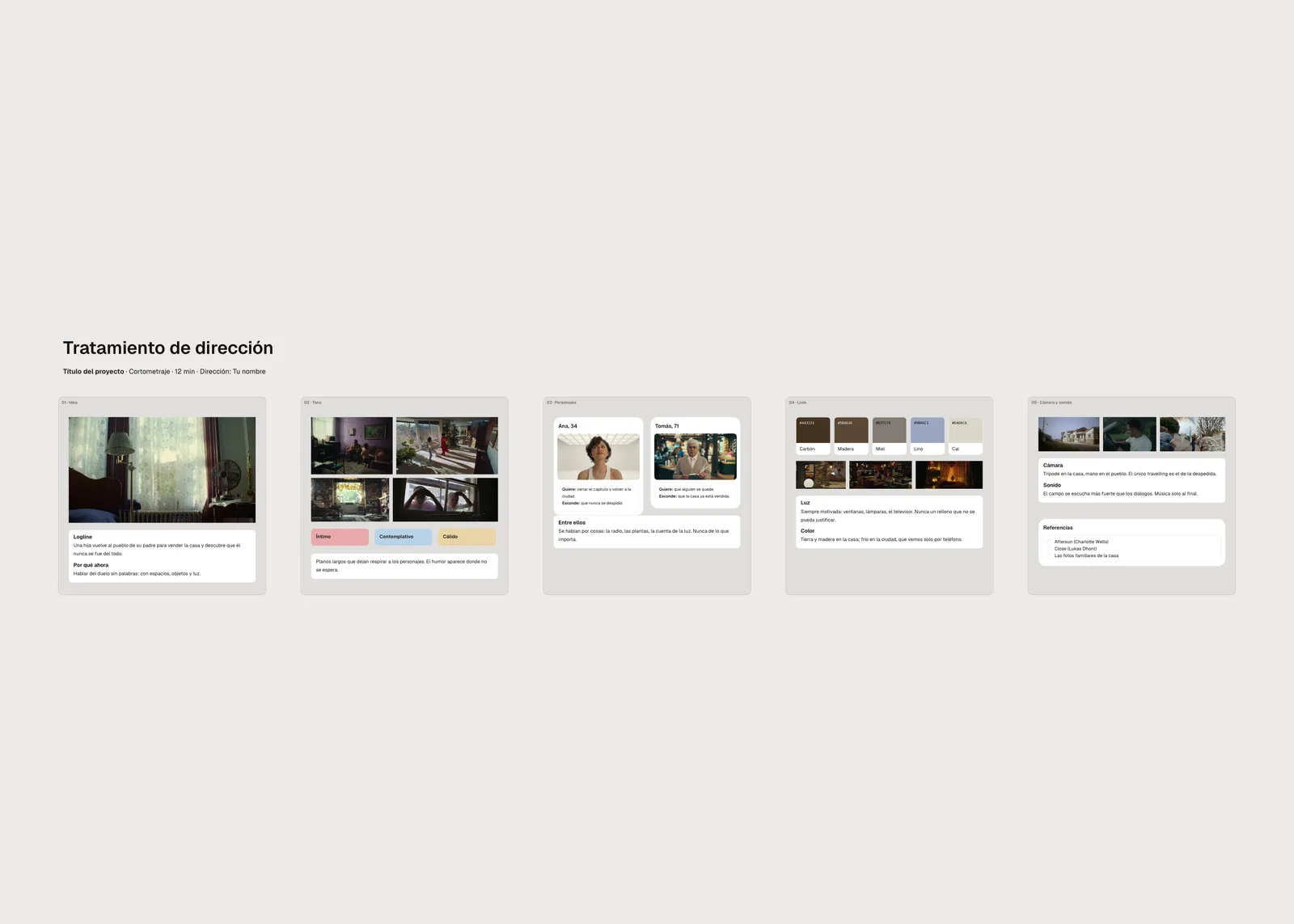
Director's treatment
Draftt
The treatment that goes with a pitch, left to right: the idea, the tone, the characters, the look and how it is shot and sounds. Each section comes with real frames and notes to fill in.
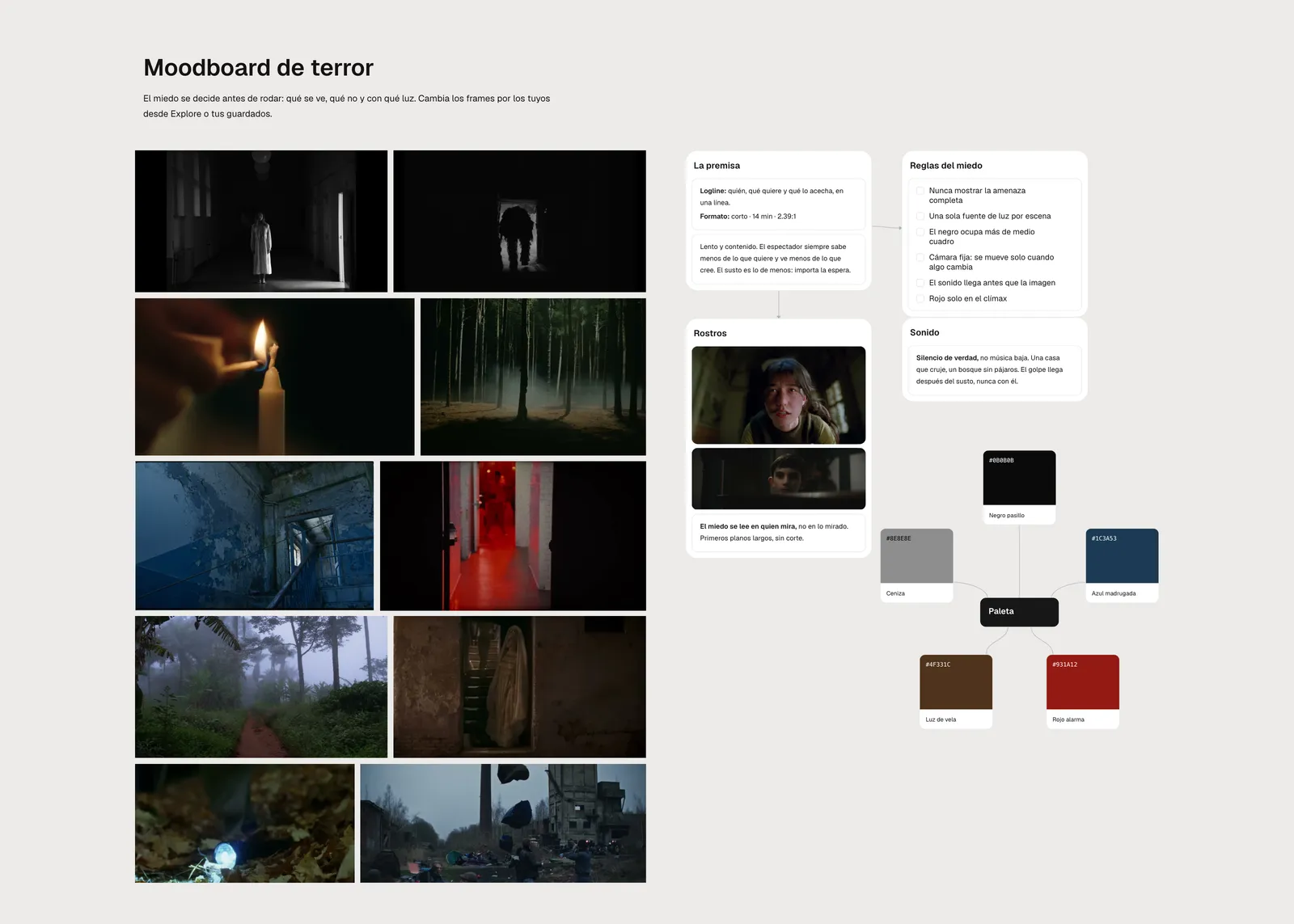
Horror moodboard
Draftt
A moodboard to decide a horror film's fear: what stays in the dark, where the light comes from, the faces and the place.
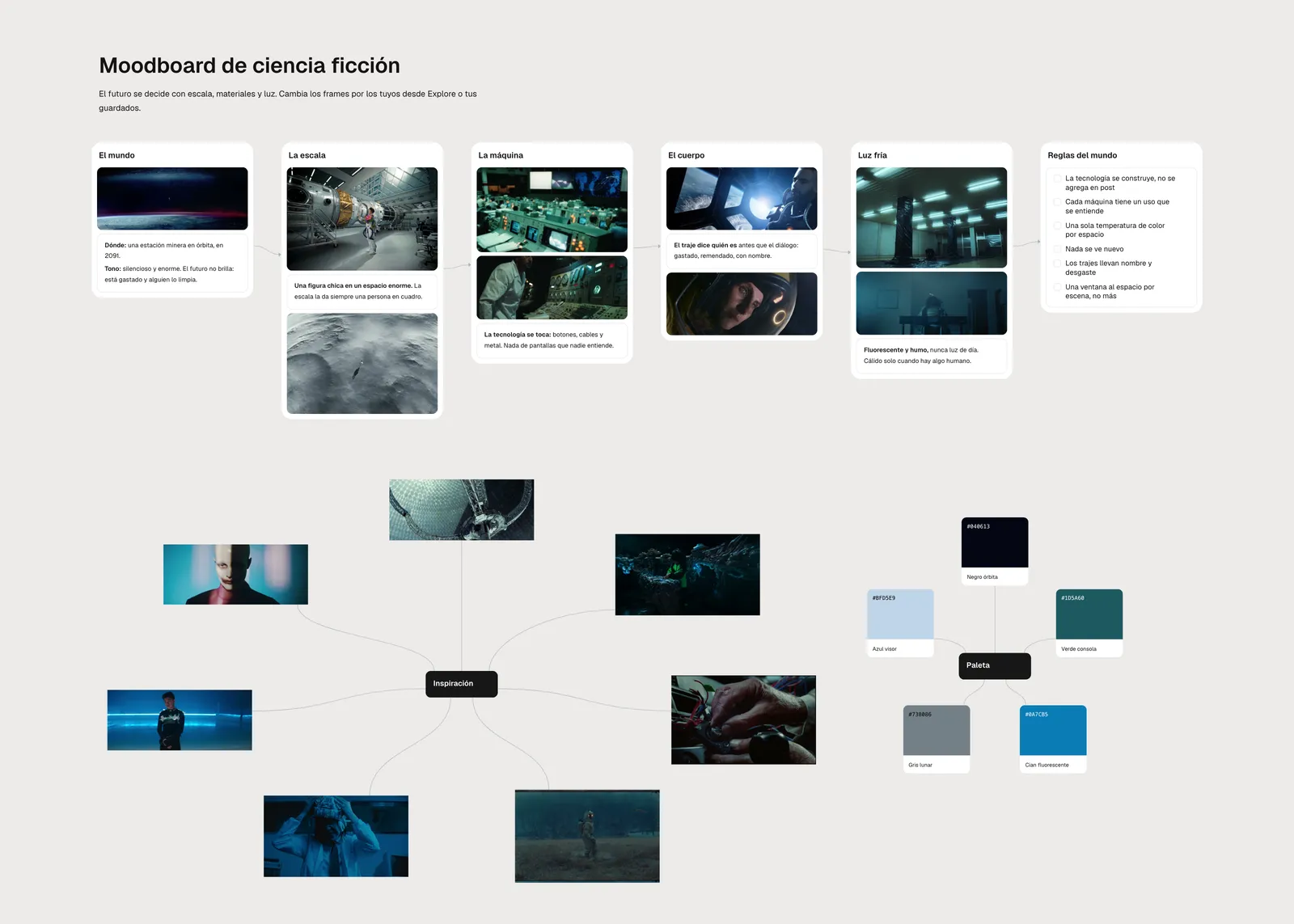
Science fiction moodboard
Draftt
A moodboard for a science fiction film's look, told left to right: the world, the scale, the machines, the suits, the cold light and its rules.