Storyboard template
DrafttOfficial template · Free
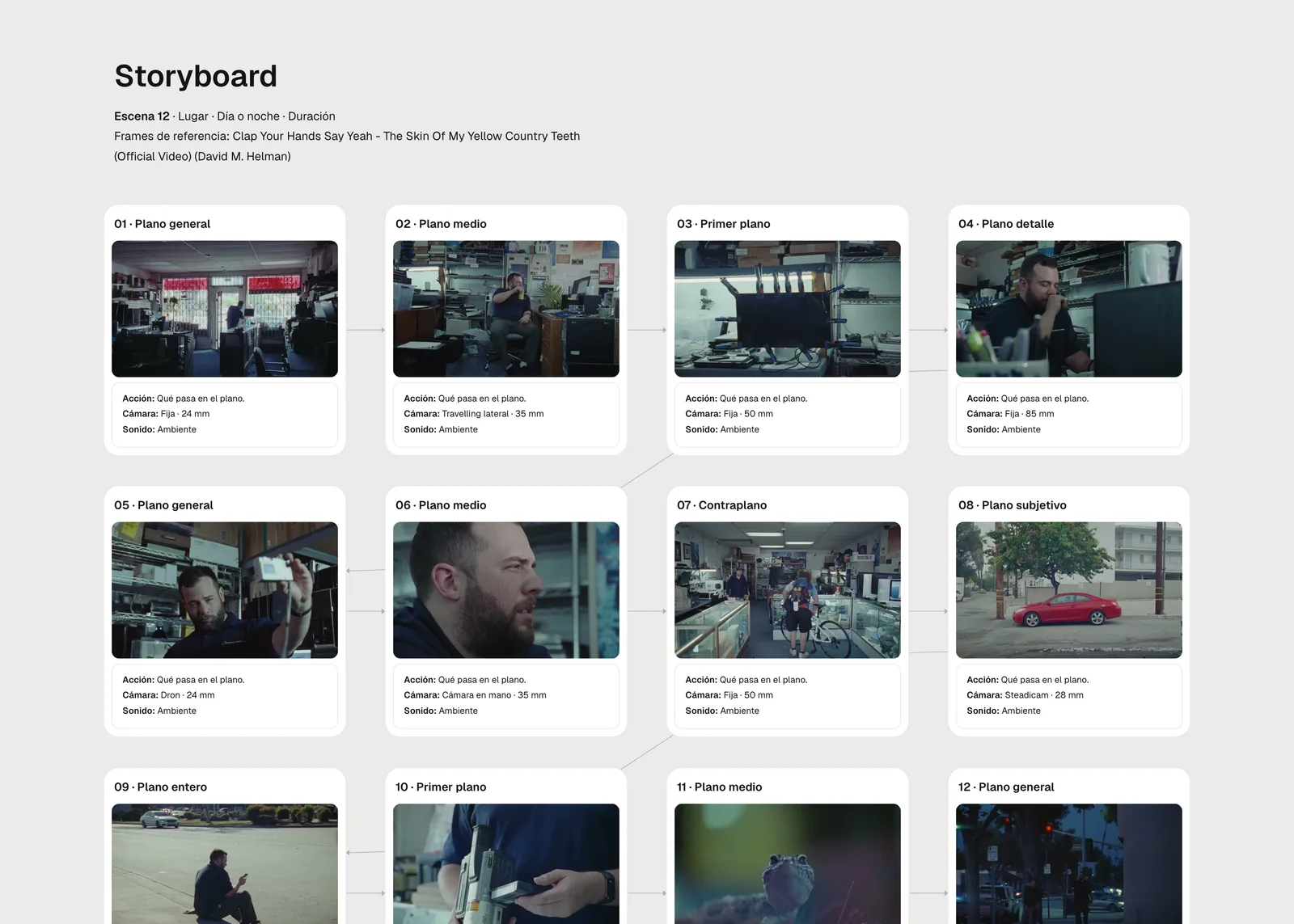
A scene shot by shot: each card holds its frame, the action, the camera and the sound, in the order it will be filmed, joined by arrows. The sample frames come from a single work of the catalog, in the film's order, to see how a sequence reads. Swap them for your drawings, photos or references.
About this template
This template tells a scene shot by shot, in the order it will be filmed. It lets the director decide the cut before the shoot, and lets the cinematographer, the producer and the rest of the crew know which shot comes next and what it takes. It works for a scene from a short, a music video or a commercial.
The board comes with twelve numbered cards, from 01 · Wide shot to 12 · Wide shot, with medium shots, close-ups, an insert, a reverse shot, a POV shot and a full shot in between. Each card has a frame and three fields: Action, Camera and Sound. Camera already gives the move and the lens (static on a 24 mm, lateral dolly on a 35 mm, drone, Steadicam, crane, slow zoom on an 85 mm), and the arrows mark the reading order.
The twelve sample frames come from a single work in the catalog, in the order they appear, so you can see how a real sequence reads. At the top is the scene heading: number, location, day or night and duration.
How to make a storyboard
01
Start from the scene, not the drawings
At the top, write what the viewer has to understand by the end of the scene and list the moments that tell it. A moment is a shot only if something changes: the information, the emotion or the point of view. If two cards say the same thing, one of them goes.
02
Decide size and lens before the image
The shot size is the decision; the image only shows it. On each card write the size, the lens and whether the camera moves, and mind the line: if two characters look at each other, keep the camera on the same side of the line between them, so the eyelines match in the cut.
03
Show the framing and mark the movement
What matters is where the character sits in frame. A phone photo taken at the location works, or a frame from Explore with the same shot size. With the pencil (P key), draw the usual arrows on top: one for the character's movement and one for the camera's.
04
Read it out loud like an edit
Follow the arrows saying each cut: from wide to close-up, from her to what she is looking at. Where you stumble, a shot is missing or there is one too many. Then sort the same shots by location and by light: a storyboard reads in story order and shoots in the order that saves time.
More templates to prep a shoot
Commercial shot list
Draftt
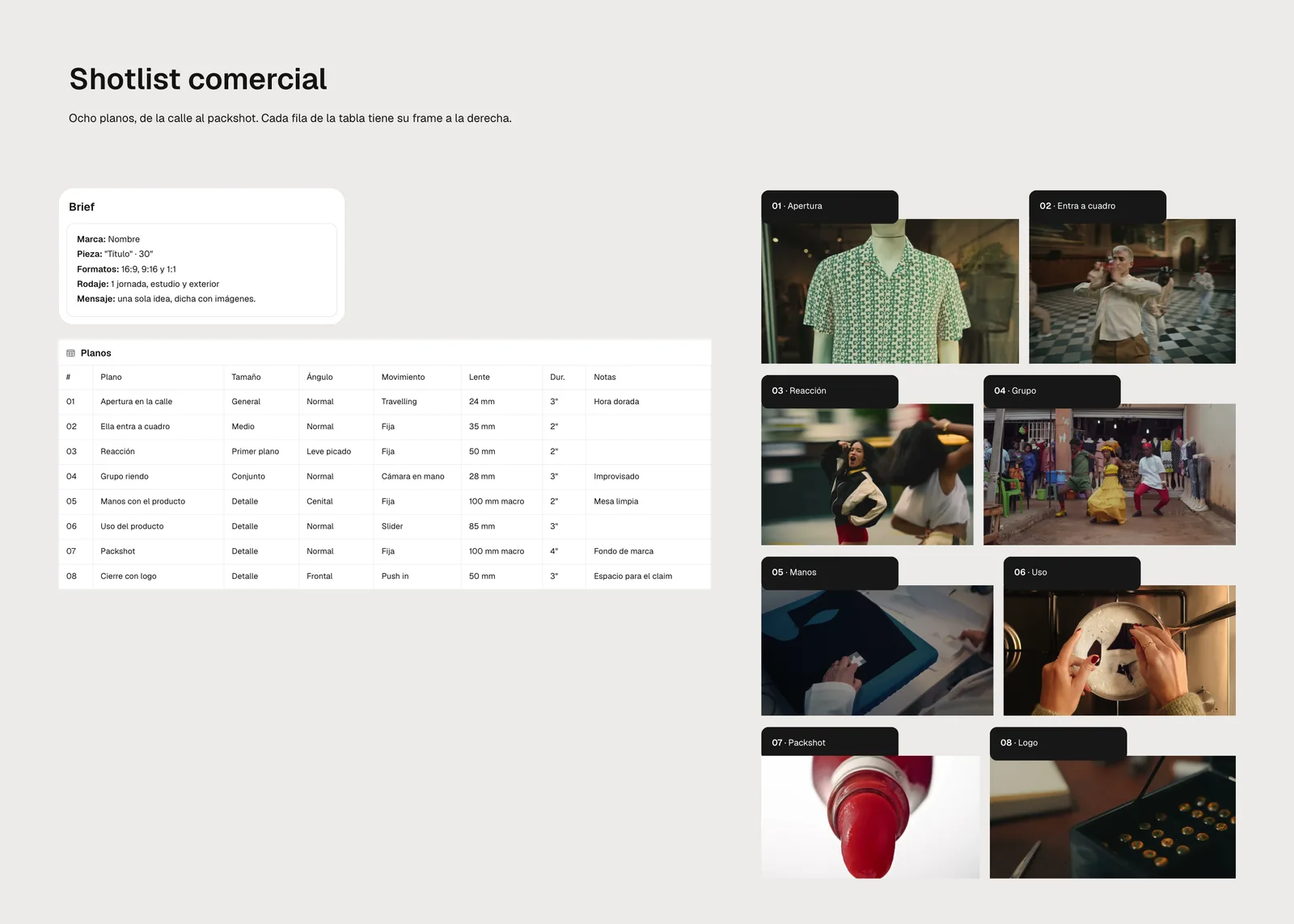
A commercial's shot list with size, angle, movement, lens and duration, next to each shot's reference frame and the piece's brief.
Director's treatment
Draftt
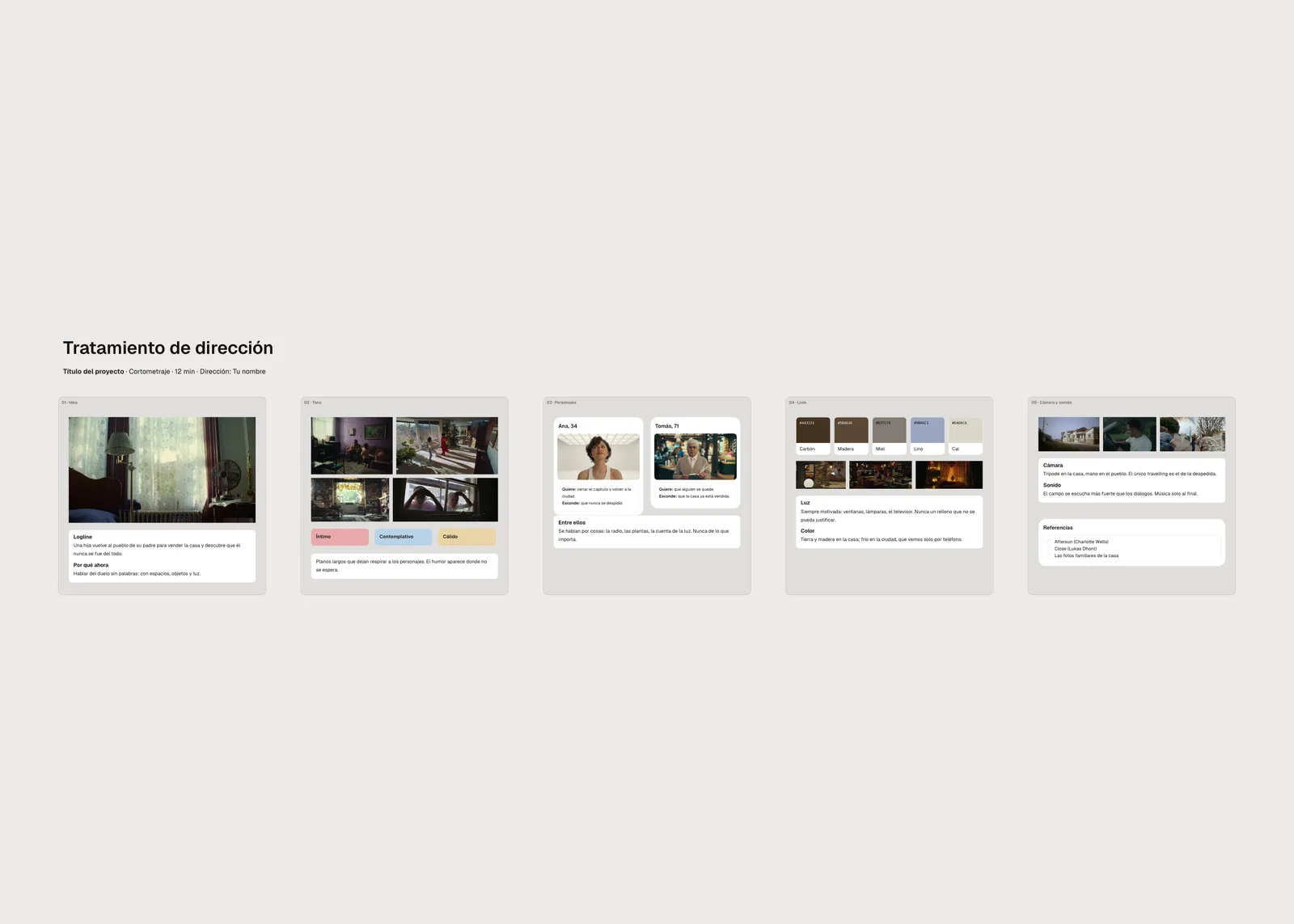
The treatment that goes with a pitch, left to right: the idea, the tone, the characters, the look and how it is shot and sounds. Each section comes with real frames and notes to fill in.
Pre-production plan
Draftt
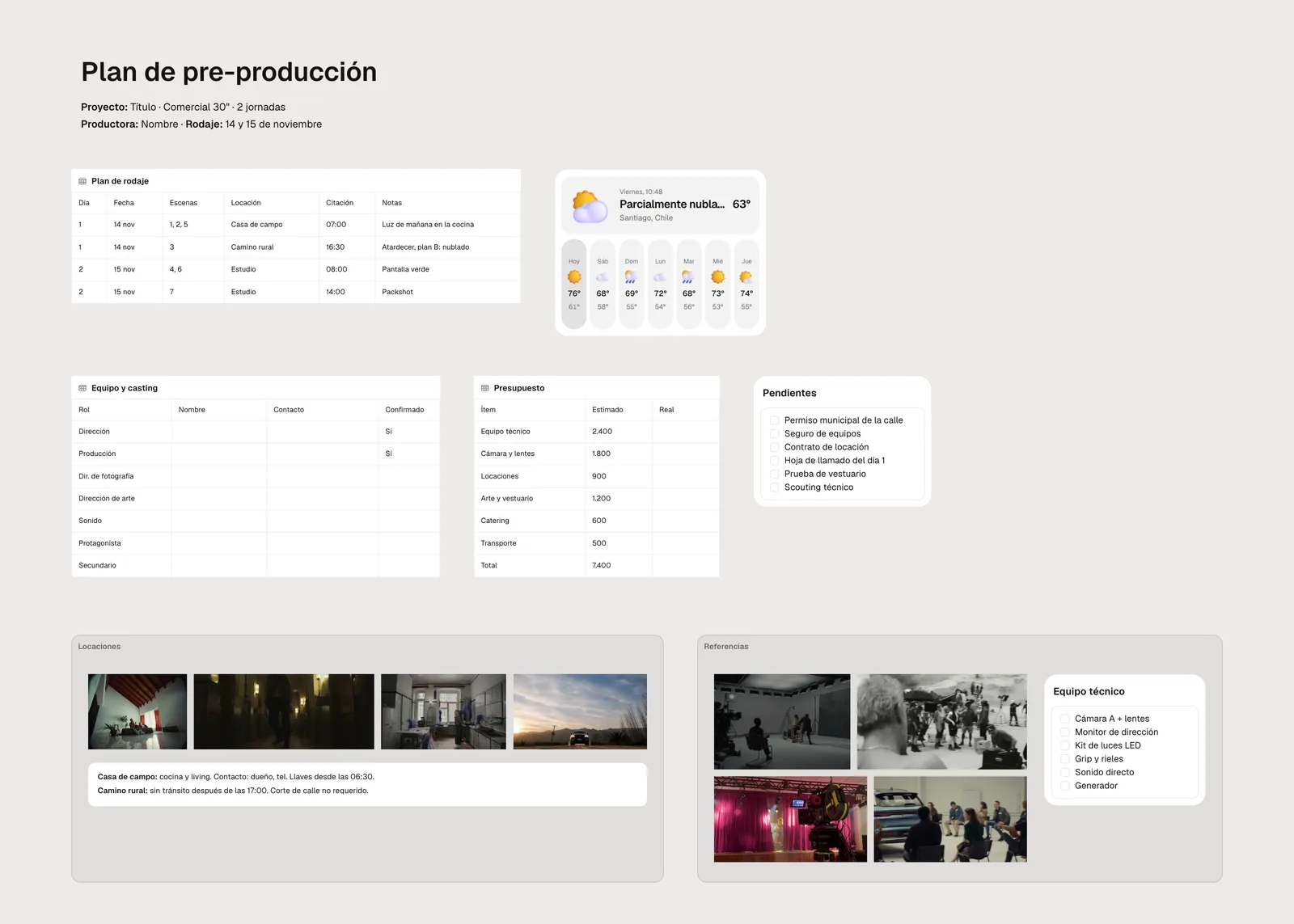
Everything that has to be solved before the first shoot day on one board: the shooting schedule, the crew and the casting, the budget, the locations, the weather forecast, the gear and the to-dos.
Location scouting
Draftt
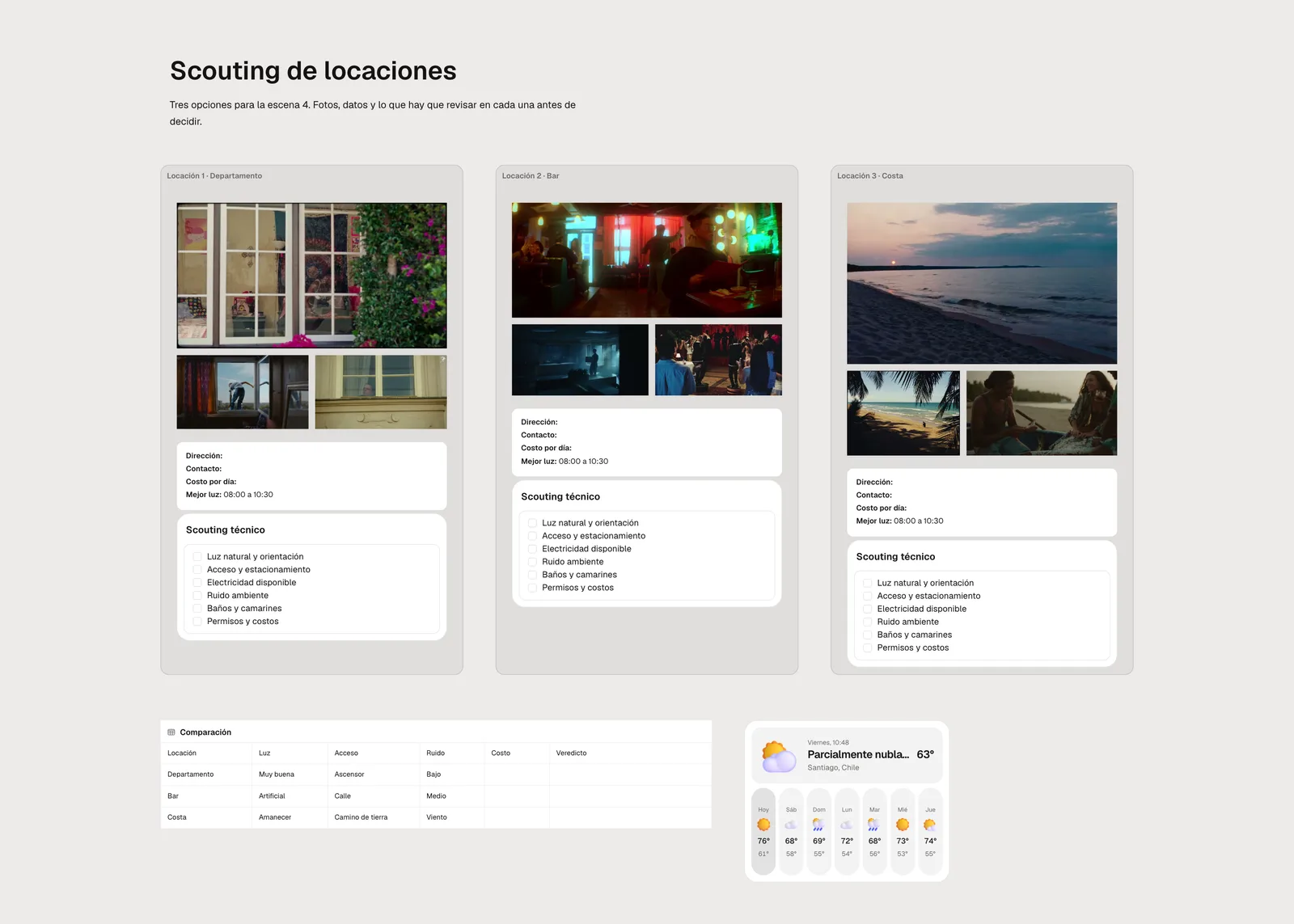
Compare locations side by side: photos of each one, its details (address, contact, cost, best hour of light), a tech scout checklist, the weather forecast and a table to decide.
Film moodboard
Draftt
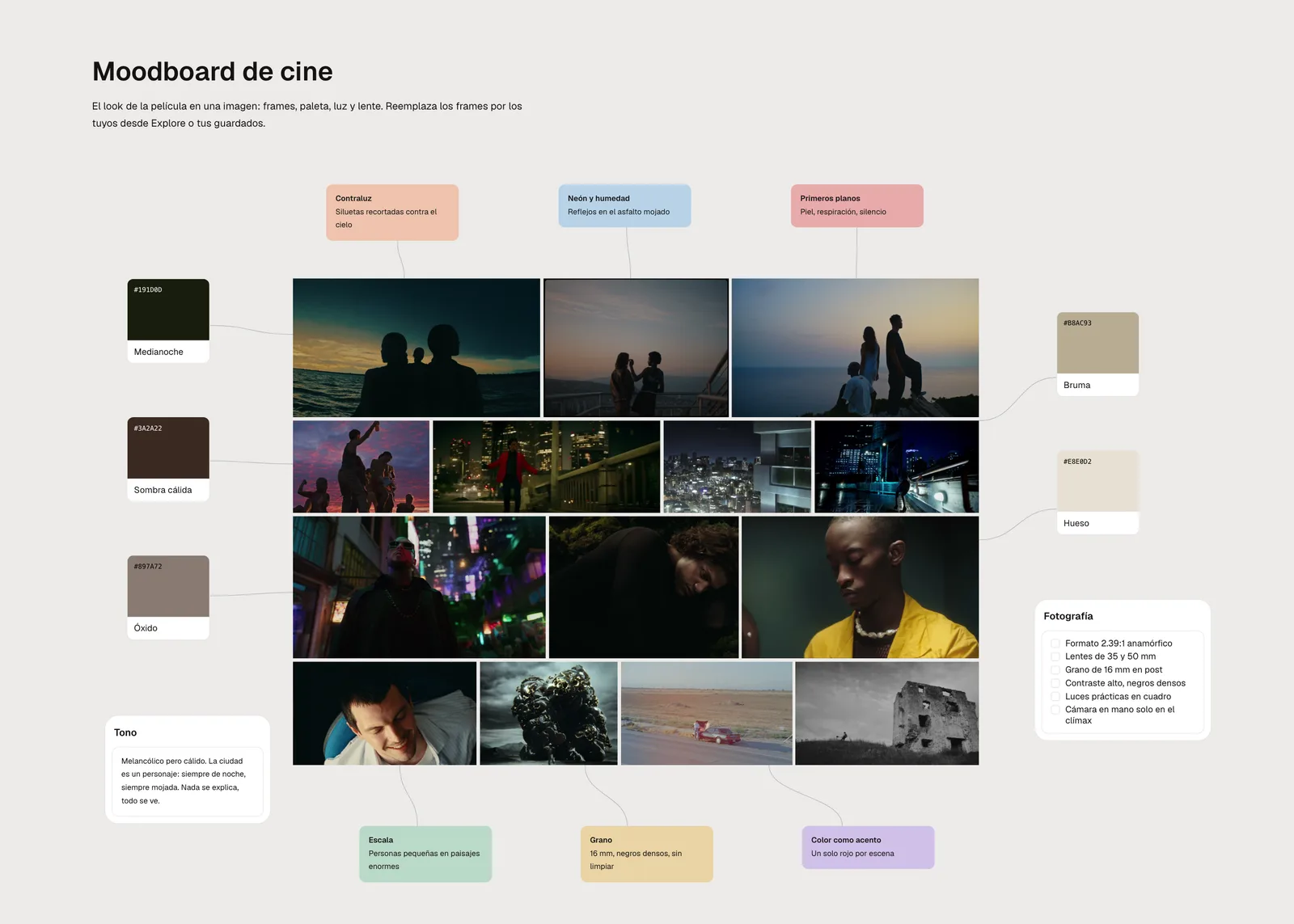
A moodboard to find a film's look before shooting it: a collage of reference frames in the middle, the palette with its names, the light and lens ideas connected to the images that show them, and the cinematography decisions on one card.
Frequently asked questions
- What is a storyboard?
- It is the scene drawn or put together shot by shot, in order, before you film it. Each panel shows the framing and says what happens, how the camera moves and what you hear. It lets you decide the edit before the shoot and lets the whole crew see the same sequence. You can make it with drawings, location photos or reference frames.
- What should each shot in a storyboard include?
- A number, the shot type (wide, medium, close-up, insert), the image and what happens in it. This template adds the camera, with its move and its lens, and the sound. With that, the cinematographer knows what gear to bring and the producer can work out how long each shot takes.
- What is the difference between a storyboard and a shot list?
- A storyboard shows each shot with an image, in the order it will be seen. A shot list is a list or table of the same shots, sorted for shooting: by location, by lens or by light, with what each one needs. Often the storyboard comes first and the shot list comes out of it.
- Do I need to know how to draw to make a storyboard?
- No. You can use photos taken at the location with your phone, grabs from a rehearsal or frames from Explore, Draftt's catalog, which you search by what they show, by color or by likeness. What matters is that each image makes the framing and the shot size clear.
- Is the storyboard template free?
- Yes. Draftt's free plan includes 2 boards, and using the template takes one. The twelve sample frames come from Explore with their work's credits, and you can replace them with your own images whenever you want. The cards, the fields and the arrows stay the same.
Related templates
See more mood board examples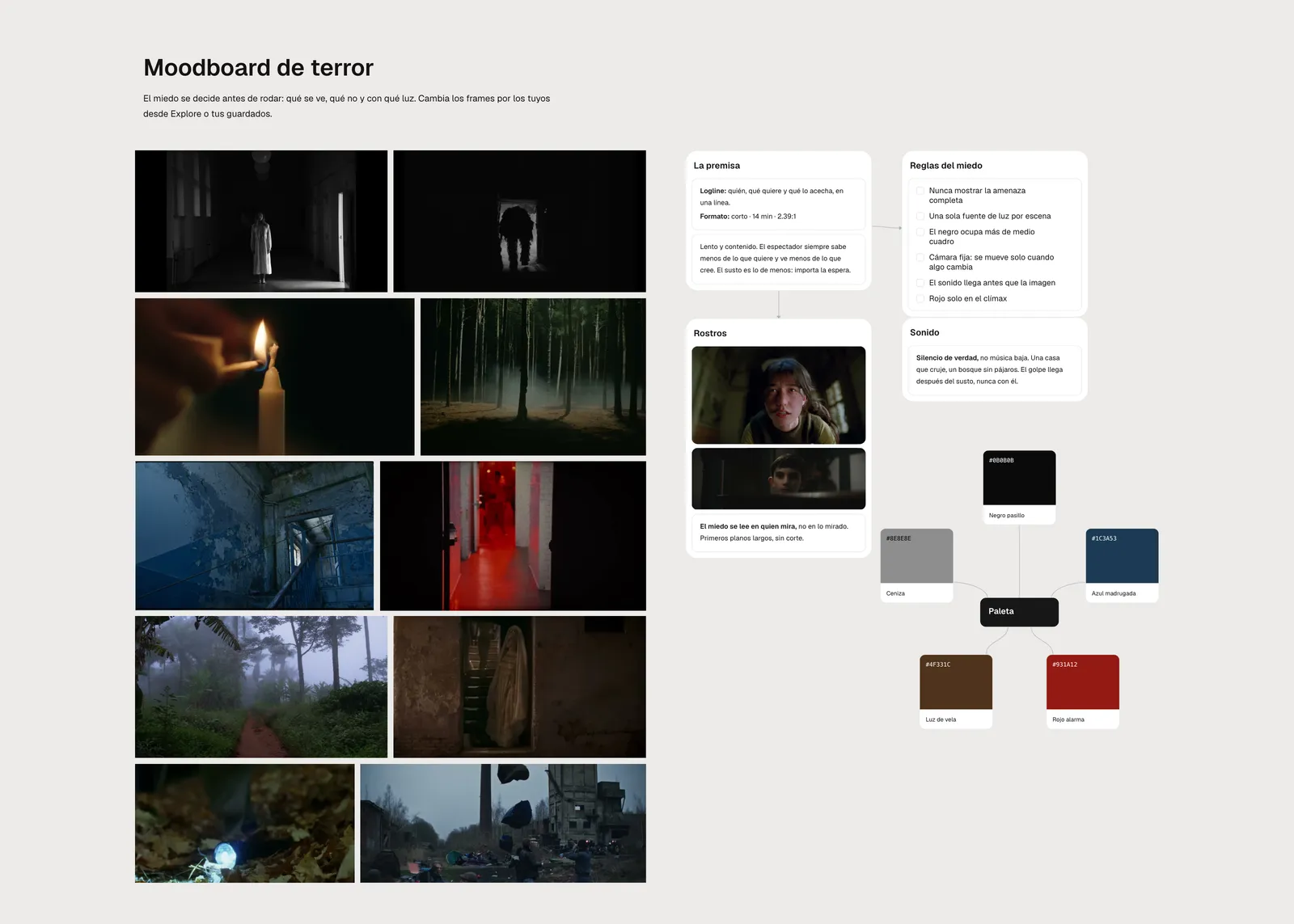
Horror moodboard
Draftt
A moodboard to decide a horror film's fear: what stays in the dark, where the light comes from, the faces and the place.
Science fiction moodboard
Draftt
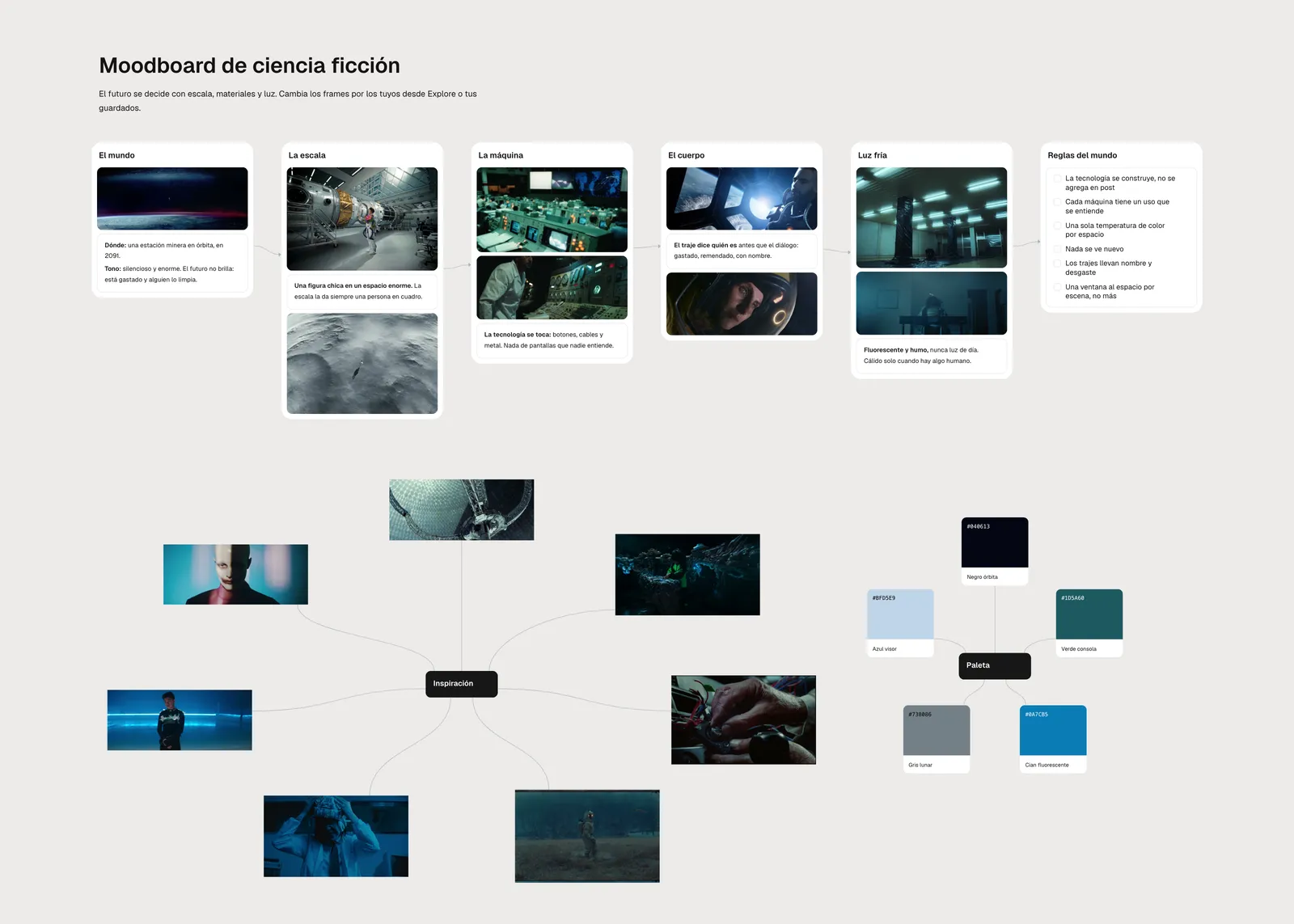
A moodboard for a science fiction film's look, told left to right: the world, the scale, the machines, the suits, the cold light and its rules.
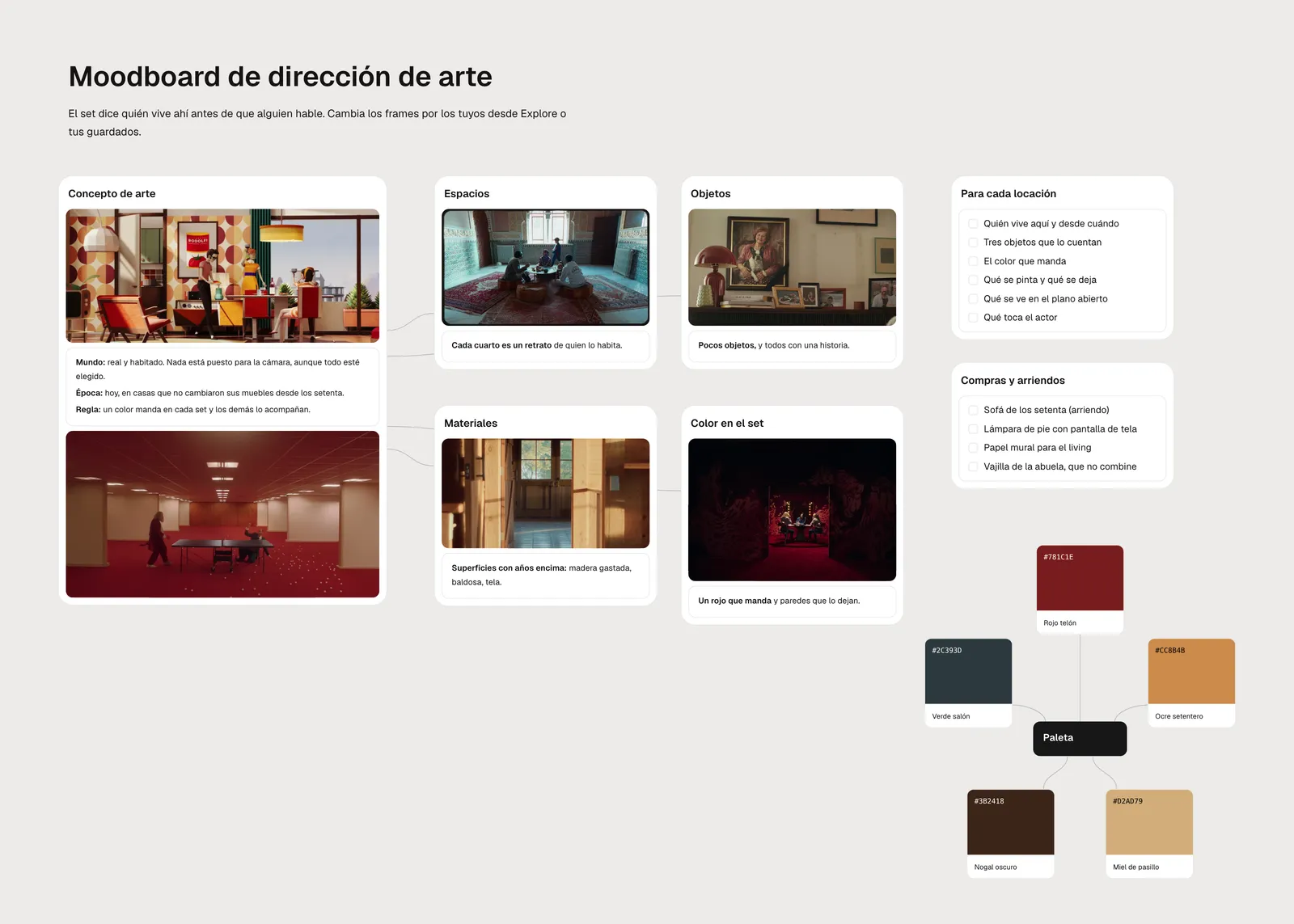
Art direction moodboard
Draftt
An art direction moodboard: the concept of the world and, around it, spaces, objects, materials and color, with what to ask of each location and the shopping list.