Pre-production plan template
DrafttOfficial template · Free
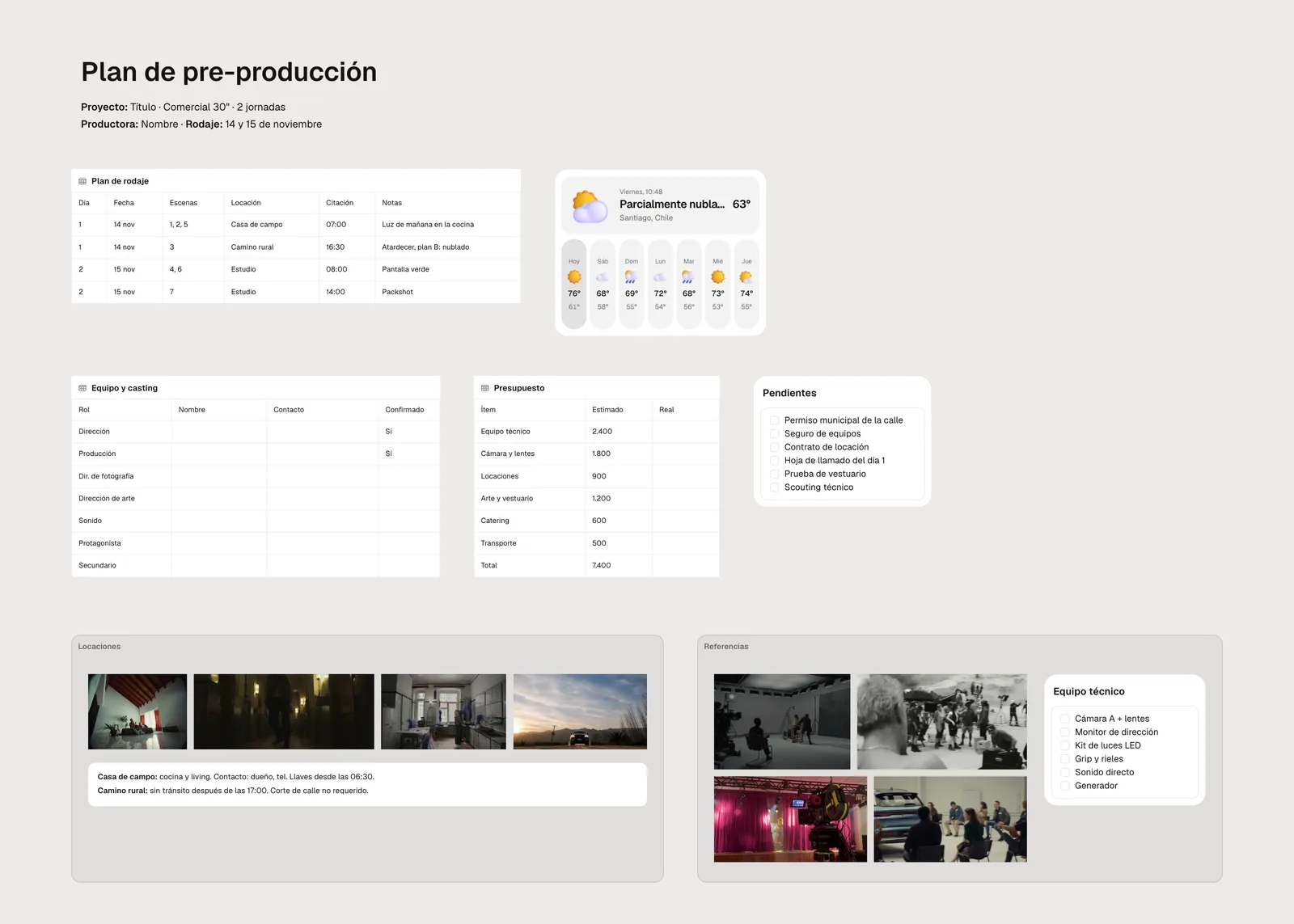
Everything that has to be solved before the first shoot day on one board: the shooting schedule, the crew and the casting, the budget, the locations, the weather forecast, the gear and the to-dos. For producers, assistant directors and small crews who do not want five different spreadsheets.
About this template
This template puts everything that has to be solved before the first shoot day on a single board. It is made for producers, assistant directors and small crews who today keep that information spread over several spreadsheets and chats.
At the top is the project: a 30-second commercial over two shoot days, with its production company and its dates. Below are three tables. Shooting schedule lays out each day by date, scenes, location, call time and notes, like morning light in the kitchen or a plan B if it is overcast. Crew and cast lists the roles, from the director to the supporting actors, with name, contact and whether they are confirmed. Budget compares estimated against actual over six items, with a total.
Next to them is a block with the weather forecast for the coming days, and two checklist cards: To-dos (city permit, equipment insurance, location agreement, call sheet, wardrobe fitting, tech scout) and Gear. Below, a locations section with four photos and their details, and a references section with four frames.
How to make a pre-production plan
01
Start from the shoot day and count backward
Lock the shoot days and, from there, write down everything with a lead time of its own: city permits, which can take weeks, insurance, location agreements and casting. Whatever takes longest goes first in To-dos, with a person and a day: type @ in the row to assign it.
02
Order the shooting schedule by location and by light
You don't shoot in script order. Group scenes by place so the crew doesn't move twice, put exteriors at the hour of the light they need and keep an interior as plan B. Note each day's call time and its last usable hour of light.
03
Check the weather before you confirm
Change the city in the forecast block to the one where you shoot. When the shoot is a few days out, open the day: it shows sunrise and sunset, and rain and wind hour by hour. With that you set the call time, decide whether the drone flies and pick which scene moves to the backup day.
04
Fill in the budget's actuals every week
The Actual column gets filled in as you close each item, not at the end. If gear rental or a location goes over the estimate, you see it while something can still be moved. Share the board with the department heads: each one sees their own items on their Home, with a reminder on the day they are due.
More templates for producing
Location scouting
Draftt
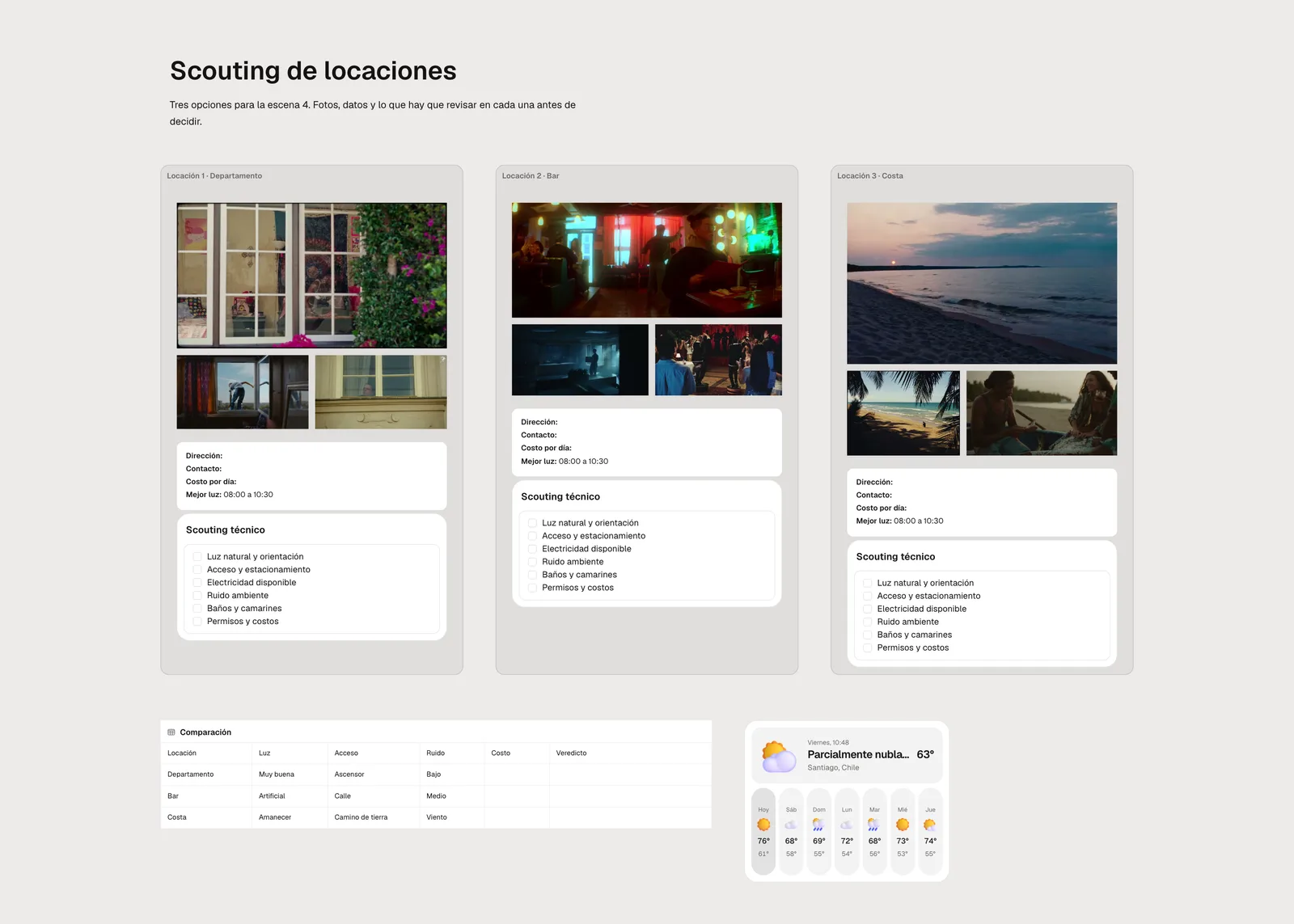
Compare locations side by side: photos of each one, its details (address, contact, cost, best hour of light), a tech scout checklist, the weather forecast and a table to decide.
Commercial shot list
Draftt
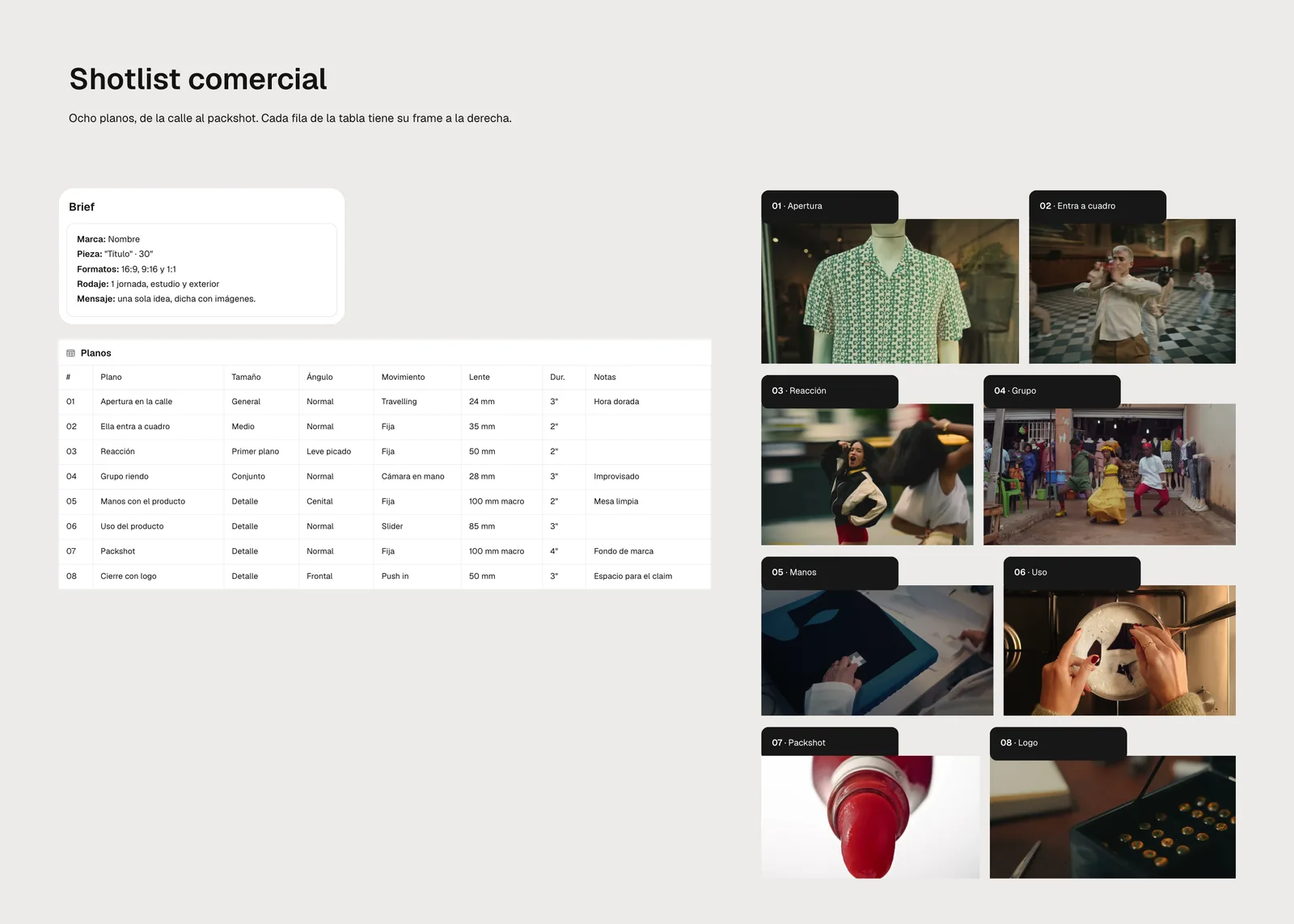
A commercial's shot list with size, angle, movement, lens and duration, next to each shot's reference frame and the piece's brief.
Storyboard
Draftt
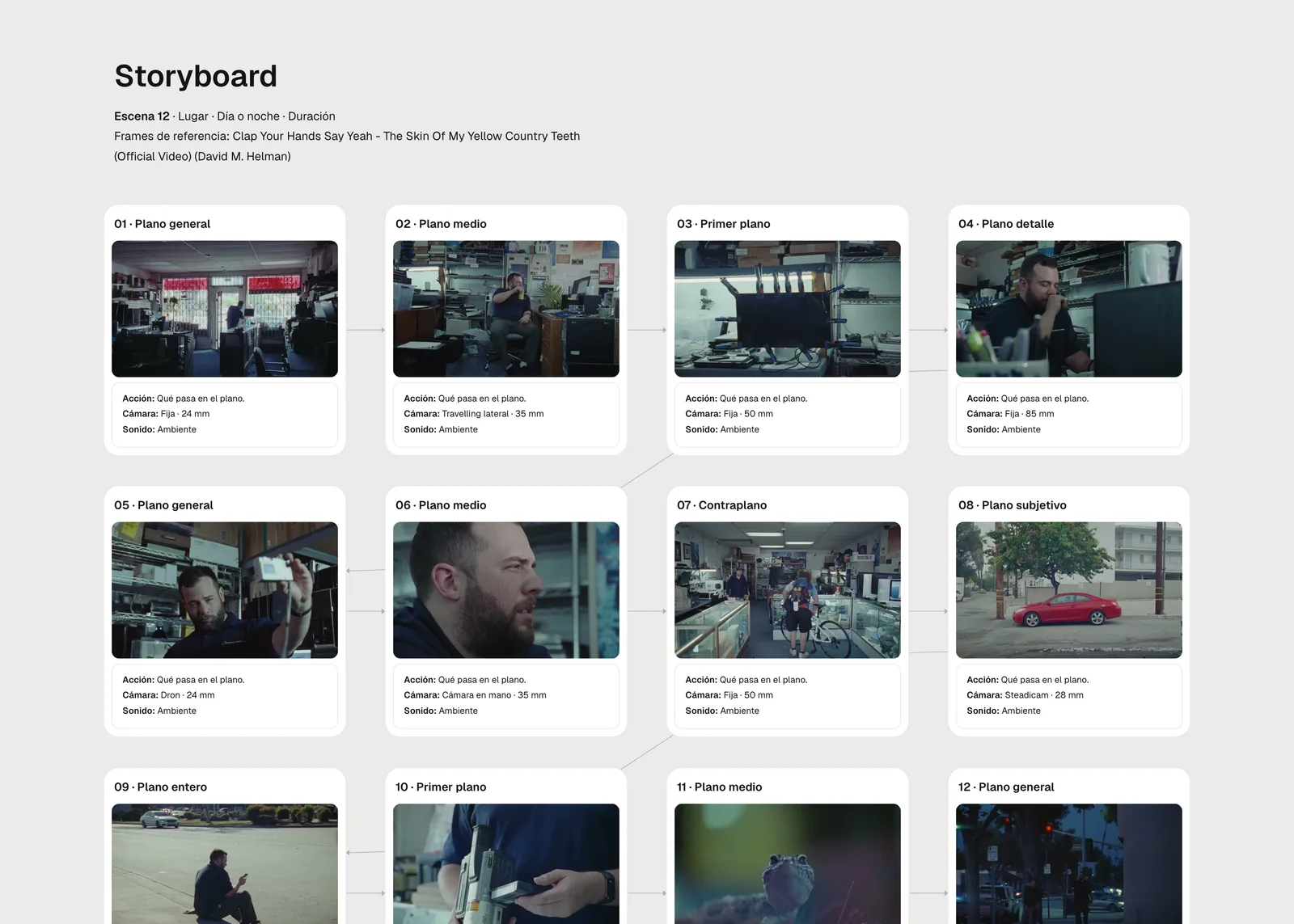
A scene shot by shot: each card holds its frame, the action, the camera and the sound, in the order it will be filmed, joined by arrows.
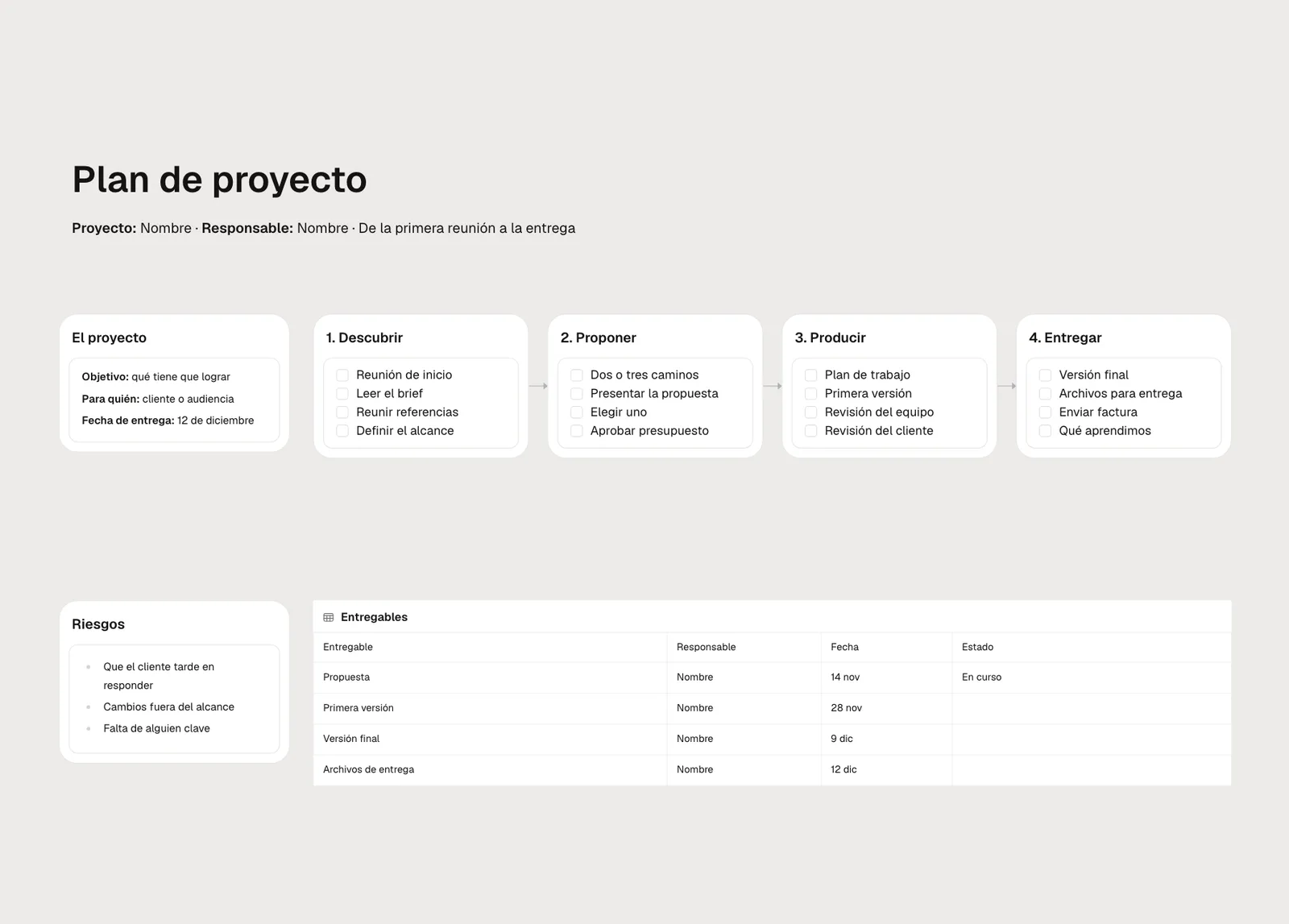
Project plan
Draftt
A project from the first meeting to delivery: four connected phases, the deliverables with an owner and a date, and the risks in sight.
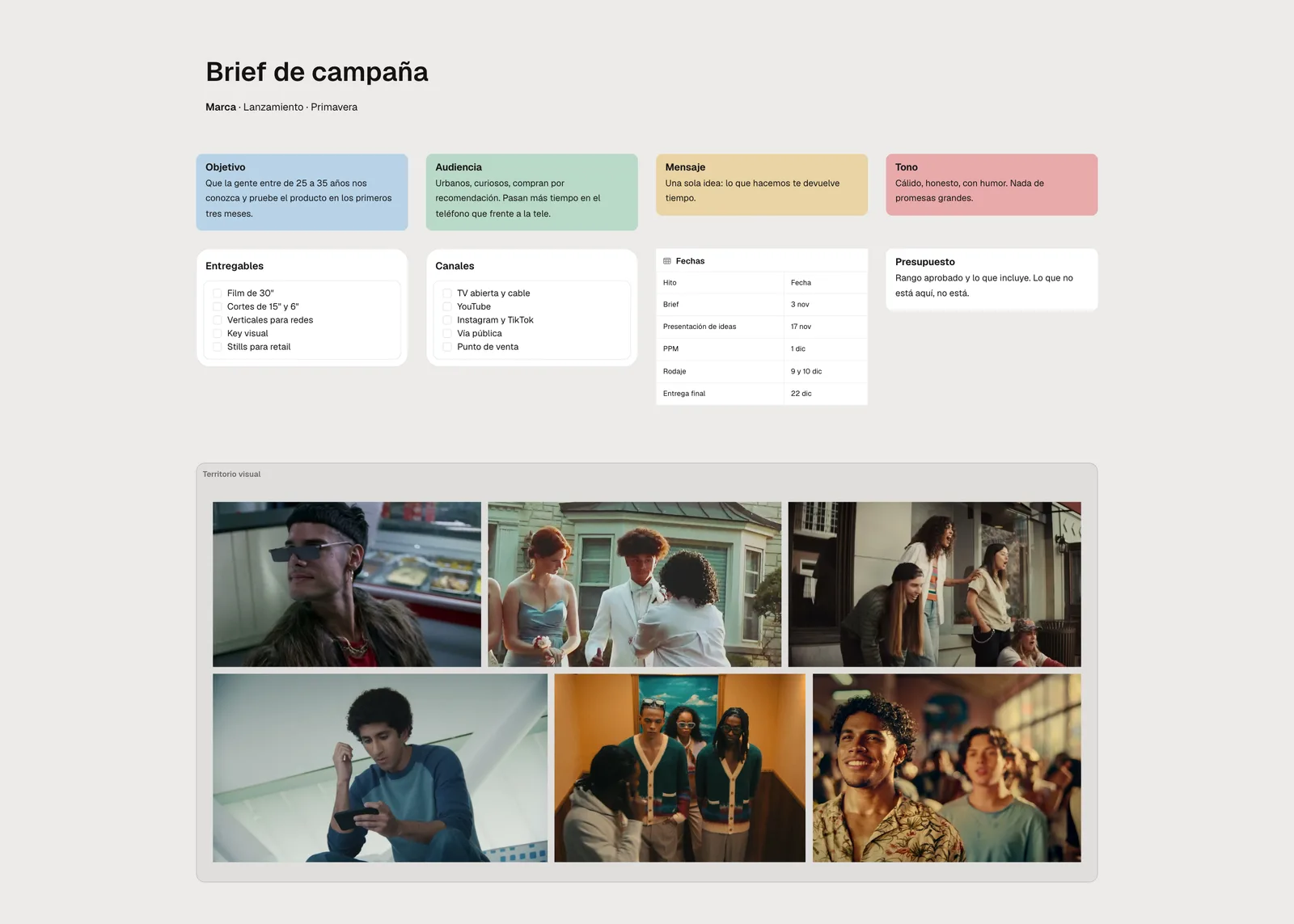
Campaign brief
Draftt
A creative brief that reads at a glance: the objective, the audience, the message, the deliverables, the channels and the dates, with a visual territory for reference.
Frequently asked questions
- What is a pre-production plan?
- It is the document that gathers what has to be solved before the shoot: what gets shot each day and where, who is on the crew and in the cast, what it costs, which permits are missing and what gear is needed. The producer puts it together, usually with the first AD, and it gets revised until the day before the shoot.
- What should a shooting schedule include?
- For each shoot day: the date, the scenes being shot, the location, the call time and the notes that change something, like the light you need or a plan B for the weather. In this template it is a table of four rows for two shoot days, which you can extend with your own.
- What is the difference between a pre-production plan and a call sheet?
- The pre-production plan looks at the whole shoot and is built weeks ahead. The call sheet is the call for a single day: what time each person arrives, where, and which scenes are shot that day. It is written the night before from this plan, which is why it is among the template's to-dos.
- Does the weather forecast update by itself?
- Yes. The block stores only the place and reads the forecast every time someone opens the board, so it always shows the coming days. It comes set to Santiago, Chile; select it and change the city to the one where you shoot. You can also look at one particular day, hour by hour.
- Is the pre-production plan template free?
- Yes. Draftt's free plan includes 2 boards, and using the template takes one. The tables, the to-dos and the forecast come ready, and the sample photos are frames from Explore that you can swap for your own. You can add rows to any table.
Related templates
See more mood board examples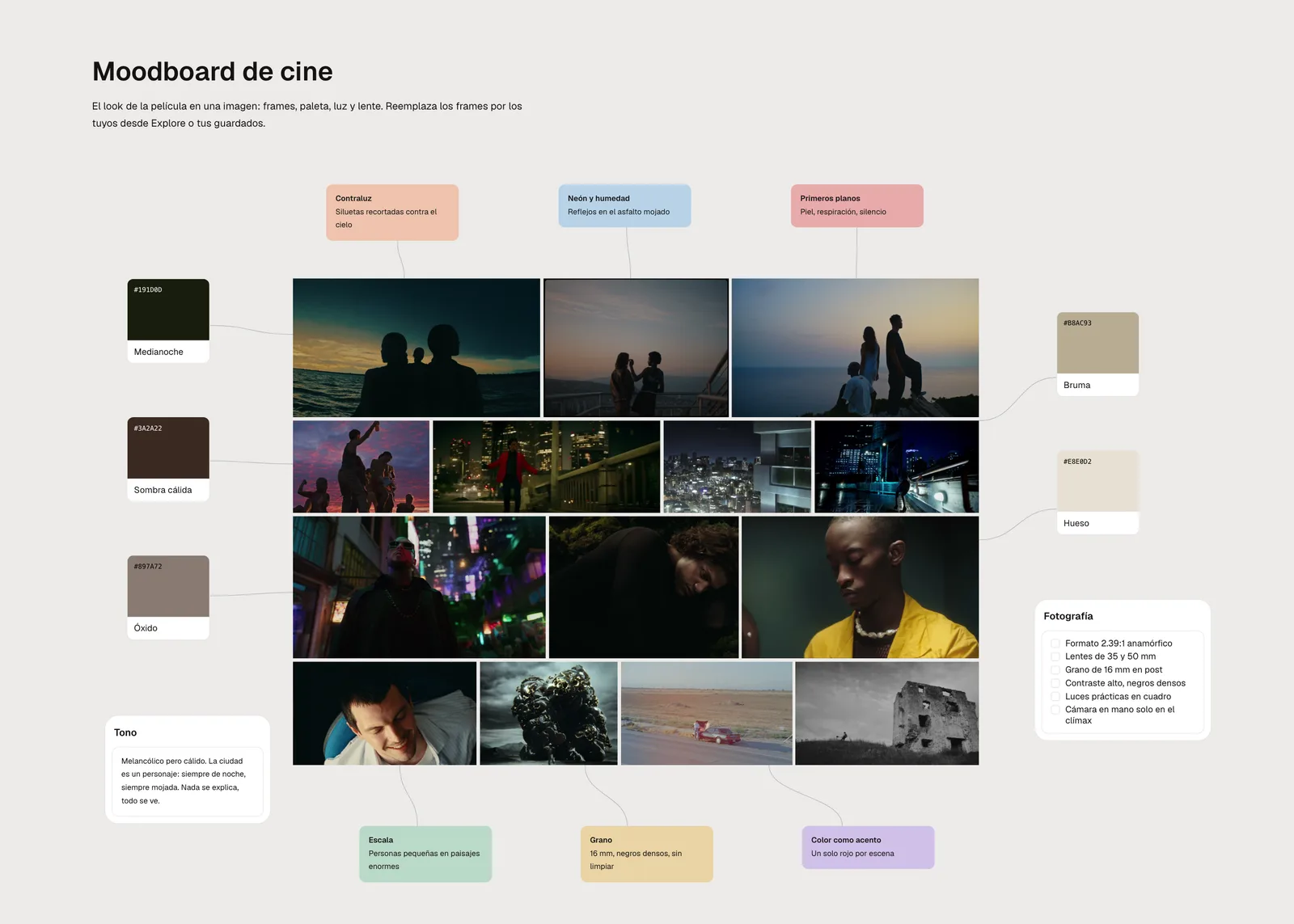
Film moodboard
Draftt
A moodboard to find a film's look before shooting it: a collage of reference frames in the middle, the palette with its names, the light and lens ideas connected to the images that show them, and the cinematography decisions on one card.
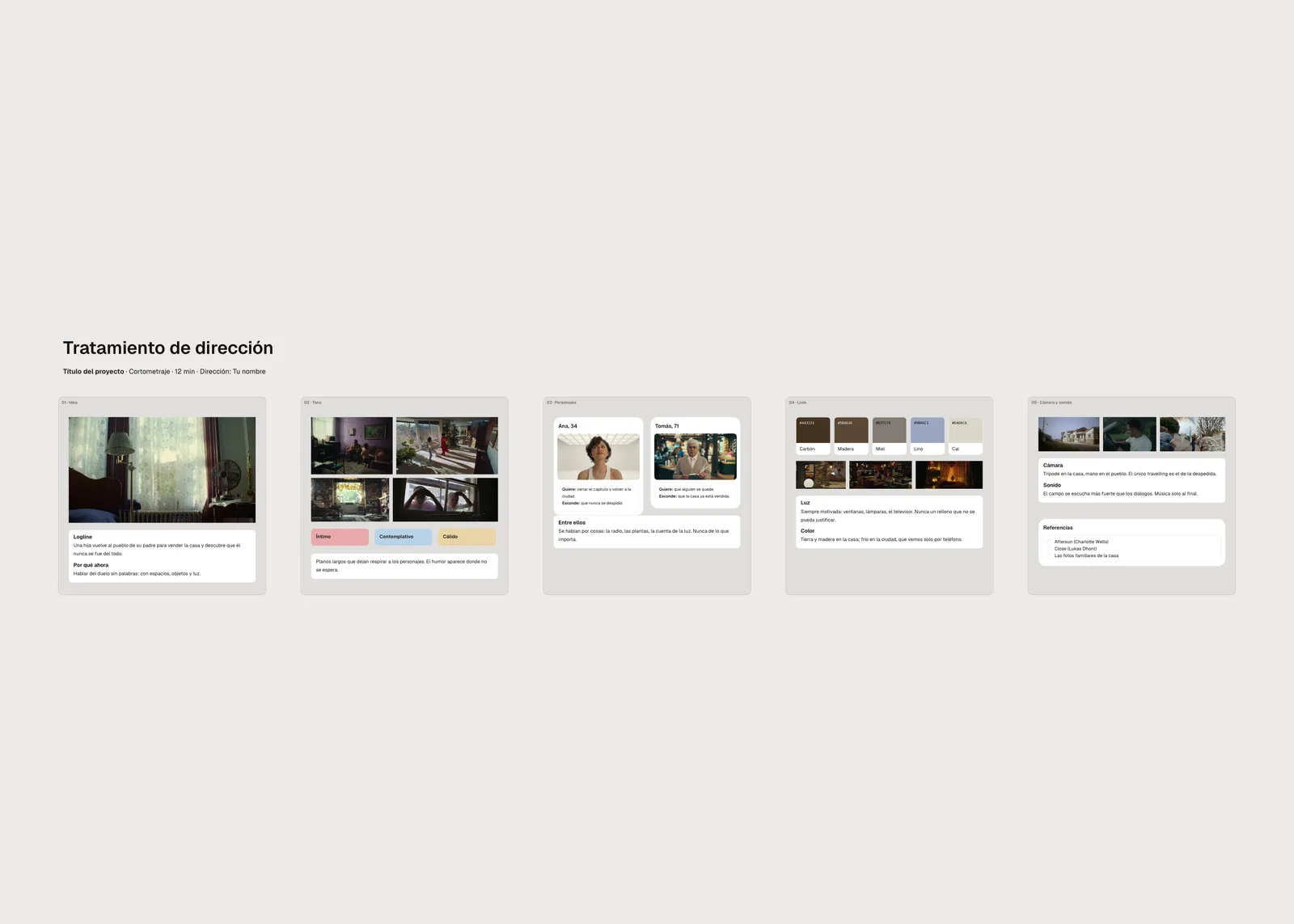
Director's treatment
Draftt
The treatment that goes with a pitch, left to right: the idea, the tone, the characters, the look and how it is shot and sounds. Each section comes with real frames and notes to fill in.
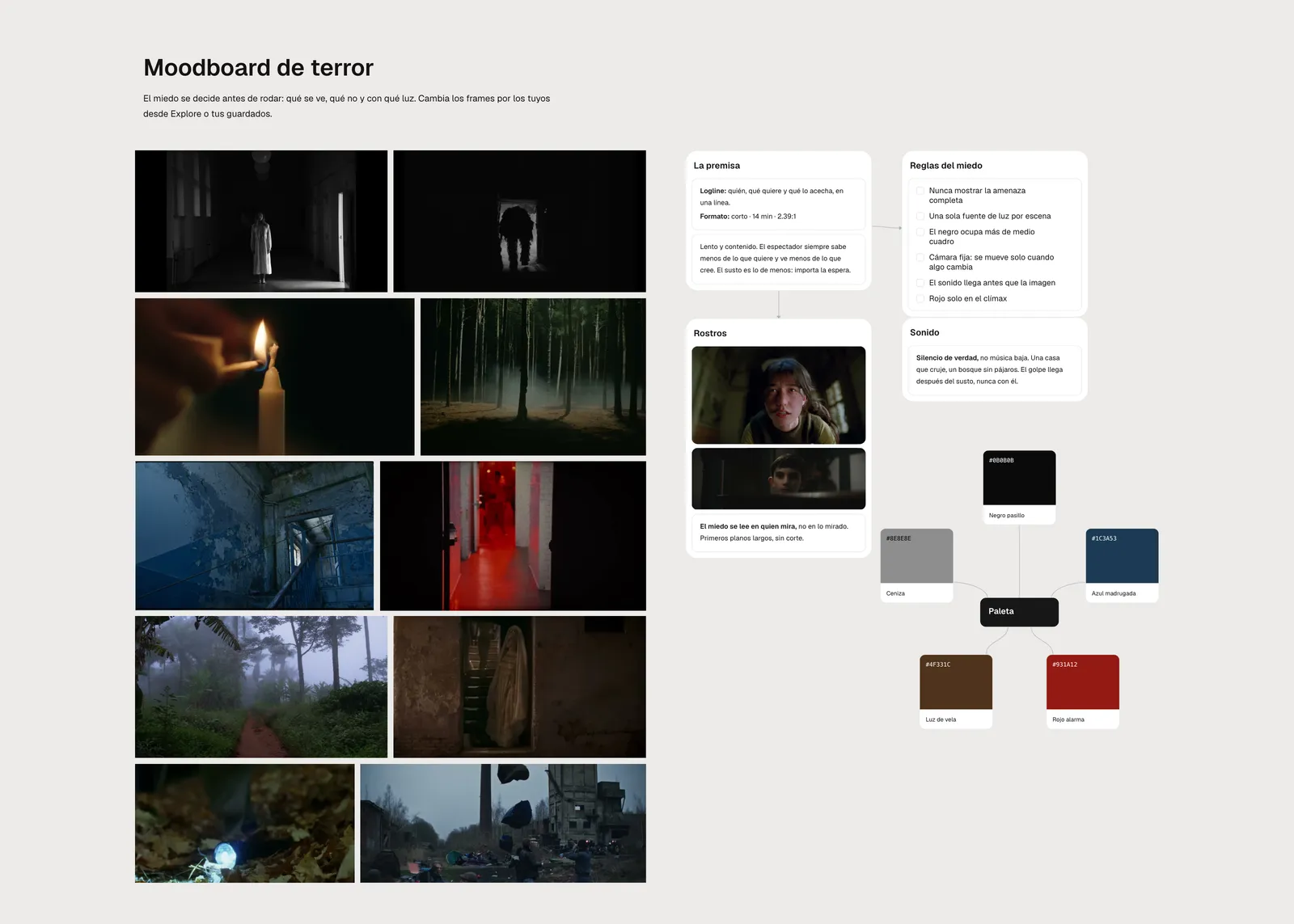
Horror moodboard
Draftt
A moodboard to decide a horror film's fear: what stays in the dark, where the light comes from, the faces and the place.